Tech team · AI & ML engineering

AI & ML engineering: ship models without losing the cluster plot

Model builders need GPU visibility, sane deploy paths, and the same cluster context as platform—not a separate “AI portal” that drifts from production. FusioNative keeps LLM deploy wizards, inference KPIs, and pod-level workloads in one navigation model.

LLM, GPU, and Kubernetes workloads in one engineering control plane

Design, deploy, and observe LLMs and training workloads on Kubernetes with GPU metrics beside the pods they run on.

Who needs this

  • ML engineers shipping models to staging and production clusters
  • LLM teams running on-prem inference with governance requirements
  • Tech leads bridging data science notebooks and platform standards

Industry pressures (why change)

  • GPU pools are opaque—teams oversubscribe or starve jobs without a fleet view
  • LLM deploy steps span cluster, storage, and networking with no single checklist
  • Workloads and inference metrics live in different tools, so incidents take longer

Why FusioNative fits

  • On-prem LLM wizard validates GPU, storage, and service exposure step by step
  • AI workload and live metrics views tie utilization to namespaces and nodes
  • Same control plane as platform—no duplicate inventory of clusters

How teams adopt it

  1. Step 1. Register GPU-backed clusters and confirm DCGM/Prometheus signals appear
  2. Step 2. Deploy or attach models through the LLM workflow with quota checks
  3. Step 3. Monitor inference and pod health from AI workload and metrics screens
  4. Step 4. Hand off capacity plans to platform when GPU headroom tightens
In Cloud Admin

What AI & ML engineering teams see in the product

Real screens—how and why each view matters for your sector.
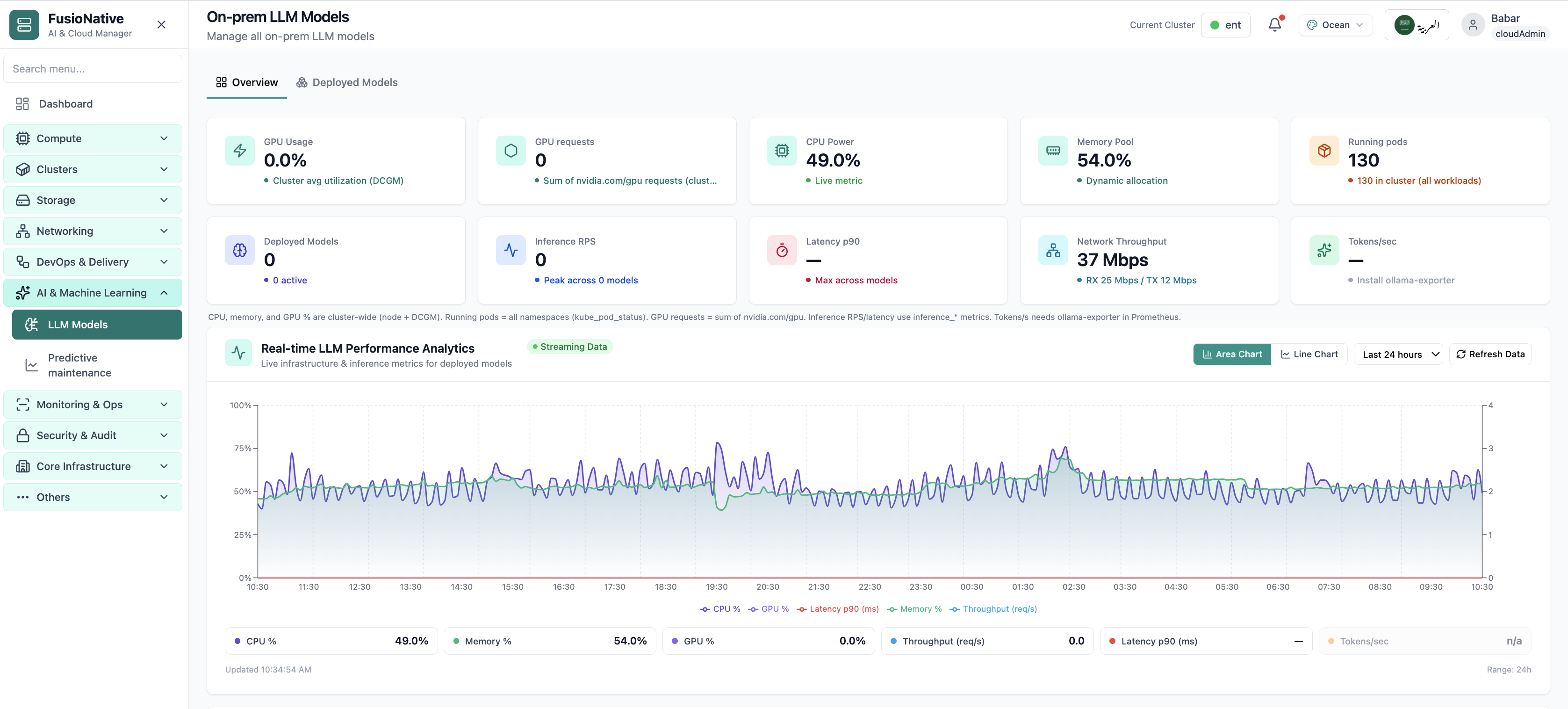
On-prem LLM overview
01 of 03 Cloud Admin

On-prem LLM overview

Model KPIs and GPU signals on one overview—where ML leads start stand-ups.

  • Inference beside fleet metrics
  • Drill into deploy wizard
  • Production context preserved

Click to zoom and pan the screenshot.

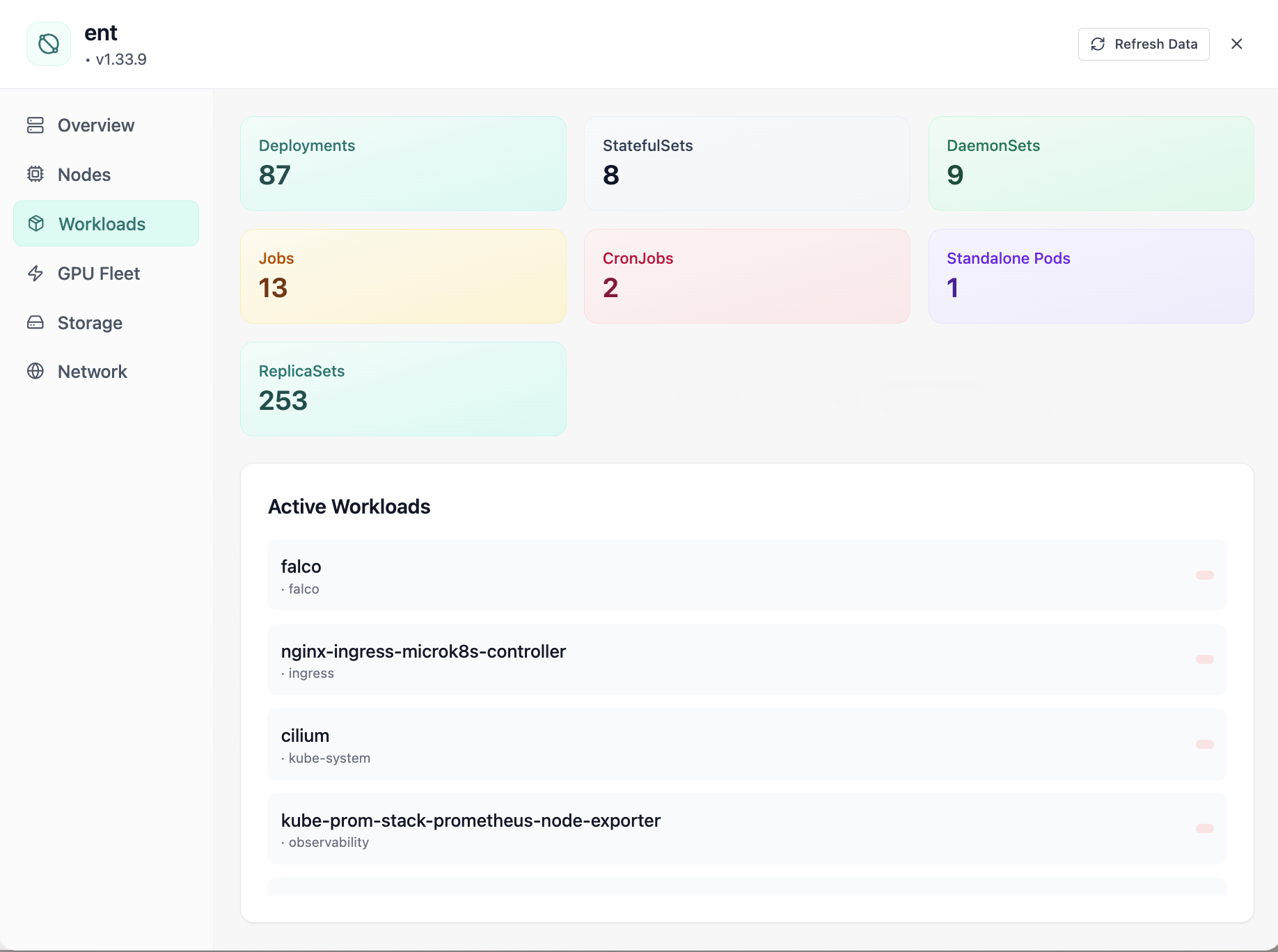
Active workloads
02 of 03 Cloud Admin

Active workloads

Deployments, StatefulSets, and GPU pods in one inventory—tie models to the objects platform actually runs.

  • Namespace-scoped views
  • Restart and health visibility
  • Less kubectl archaeology

Click to zoom and pan the screenshot.

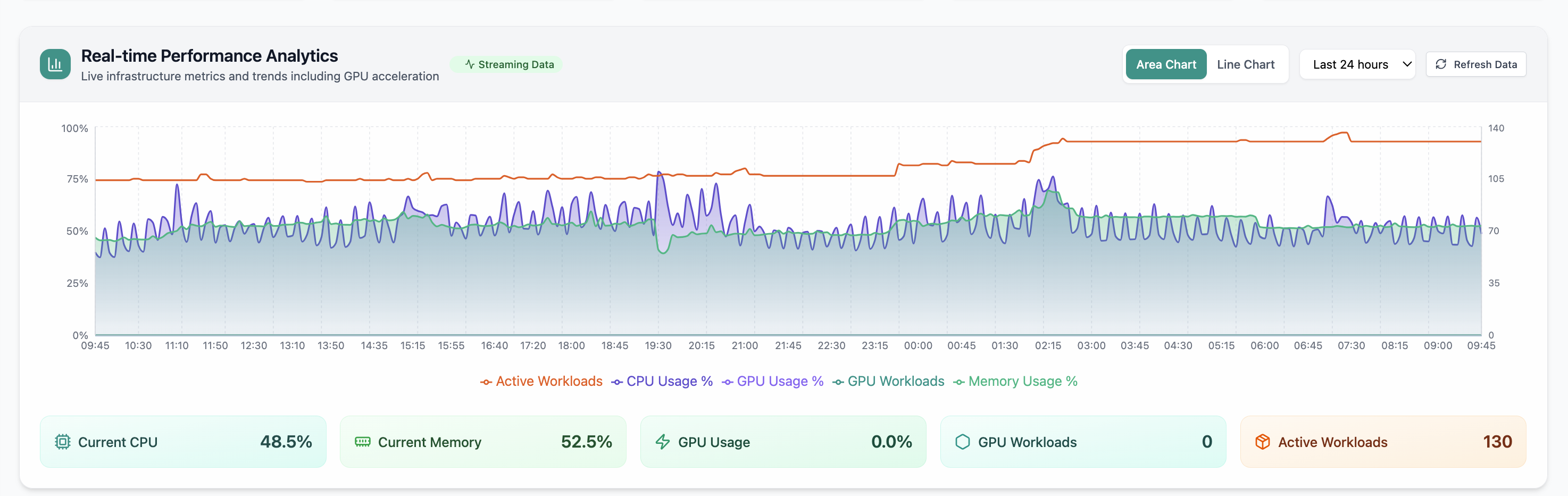
Live performance analytics
03 of 03 Cloud Admin

Live performance analytics

24h CPU, memory, and GPU trends—spot training or inference spikes before they exhaust the pool.

  • Real-time charts
  • Cross-cluster comparison
  • Feeds capacity conversations

Click to zoom and pan the screenshot.