Multi-cluster

Manage clusters with health scores and environment-level clarity

When Kubernetes estates span teams and regions, “green” is not enough. FusioNative ranks environments, surfaces connectivity or metric gaps, and keeps remediation paths obvious.

Product walkthrough

Manage every environment from one place

Every frame below is a real Cloud Admin screen—paired with plain-language context so you know what you are looking at and why it matters operationally.

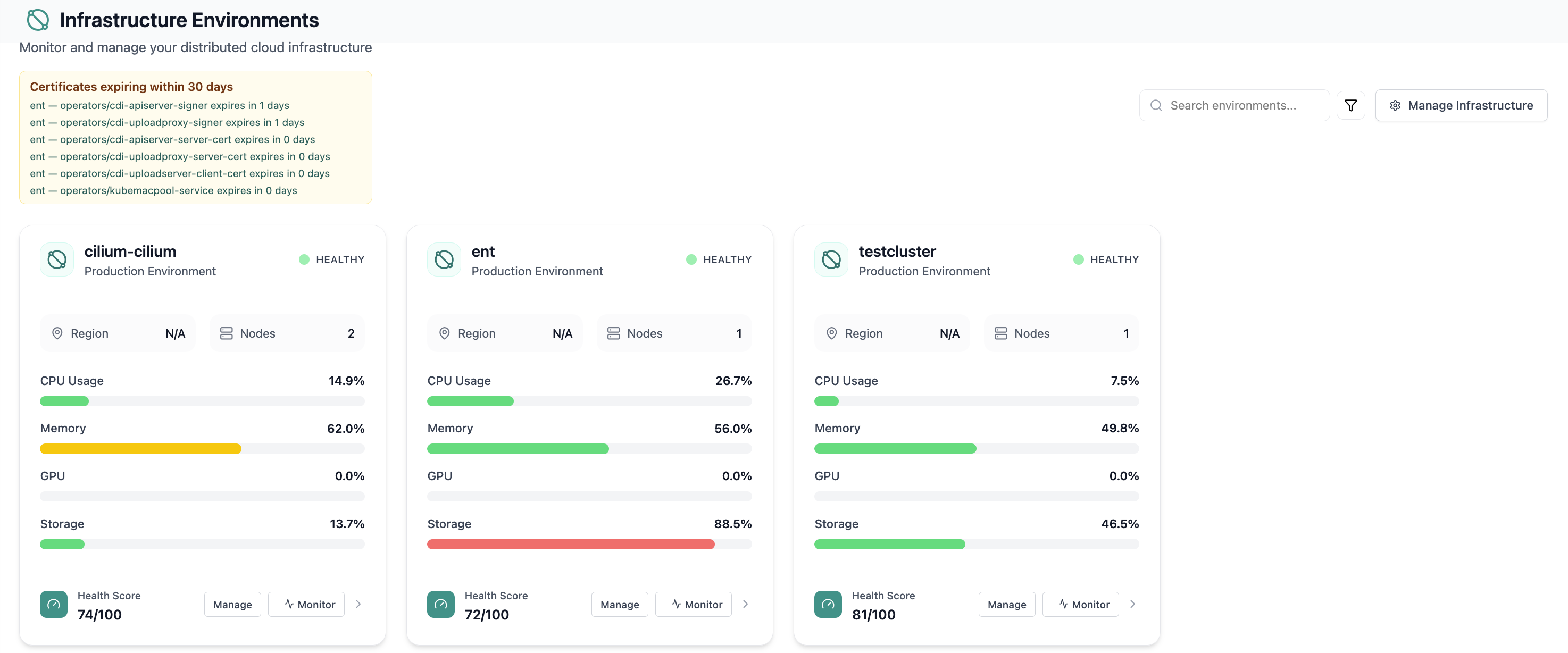
Infrastructure environment cards with health scores and utilization.
01 of 03 Cloud Admin

Infrastructure Environments

Infrastructure environment cards with health scores and utilization. Real Cloud Admin UI for cluster fleet management—what operators see daily and what to do next.

  • Matches the live Cloud Admin layout your teams will use
  • Dense data stays readable at full size (click to zoom)
  • Fits into the broader FusioNative operational workflow

Click the screenshot to open full size, zoom, and pan.
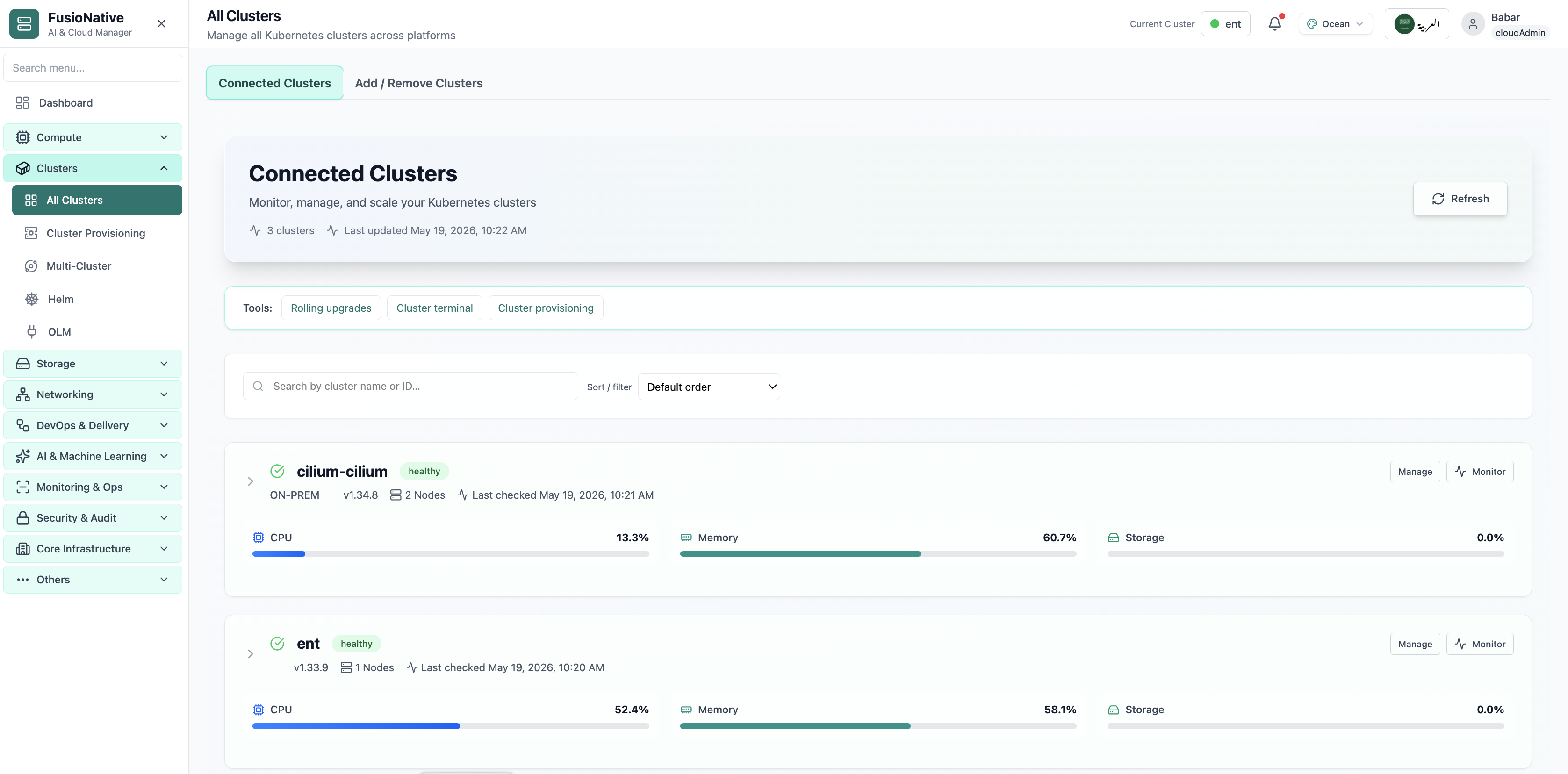
All Clusters list with health, version, and resource bars.
02 of 03 Cloud Admin

All Clusters

All Clusters list with health, version, and resource bars. Real Cloud Admin UI for cluster fleet management—what operators see daily and what to do next.

  • Matches the live Cloud Admin layout your teams will use
  • Dense data stays readable at full size (click to zoom)
  • Fits into the broader FusioNative operational workflow

Click the screenshot to open full size, zoom, and pan.
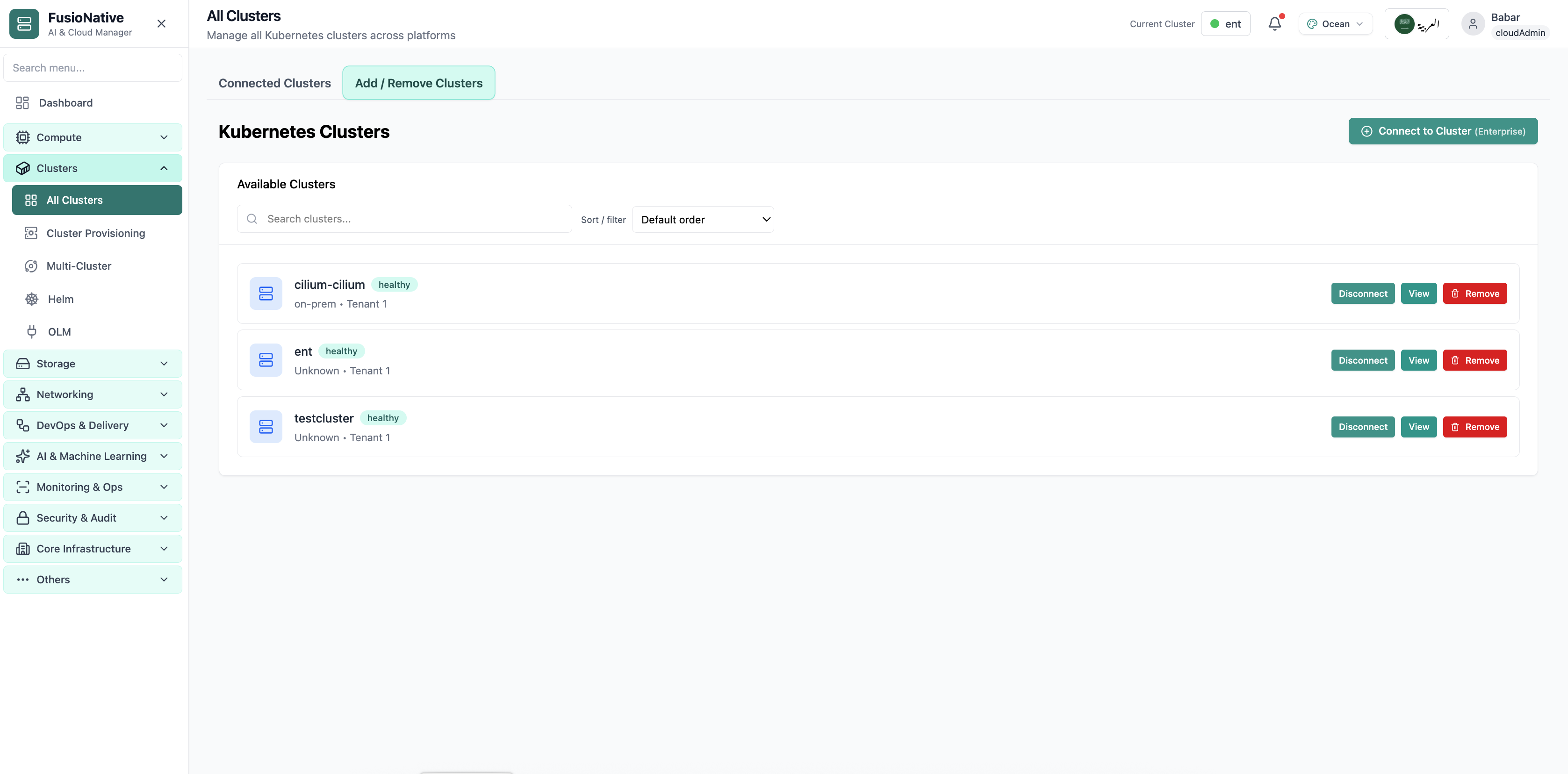
Cluster management table with connection and status details.
03 of 03 Cloud Admin

Cluster inventory

Cluster management table with connection and status details. Real Cloud Admin UI for cluster fleet management—what operators see daily and what to do next.

  • Matches the live Cloud Admin layout your teams will use
  • Dense data stays readable at full size (click to zoom)
  • Fits into the broader FusioNative operational workflow

Click the screenshot to open full size, zoom, and pan.