Industry · Telecommunications

Telecommunications: one pane for core, edge, and OSS clusters

Telcos operate Kubernetes at central offices, regional edges, and partner clouds—all with strict SLAs and noisy metrics volumes. FusioNative helps NOC and platform teams see health, events, and network-facing services without juggling disconnected tools.

Network-adjacent Kubernetes at core, edge, and OSS scale

Correlate cluster health, live metrics, and networking objects across distributed sites—the way NOC teams actually work.

Who needs this

  • Telco cloud platform teams running 5G core and OSS workloads
  • Edge operations groups managing regional cluster fleets
  • SRE teams responsible for cross-site incident bridge calls

Industry pressures (why change)

  • Edge and core clusters use different toolchains, so status meetings disagree on 'green'
  • High-cardinality metrics obscure which site or namespace is degrading
  • Network services, ingress, and workloads are managed in separate consoles

Why FusioNative fits

  • Live metrics and cluster events surface degradation before customer tickets spike
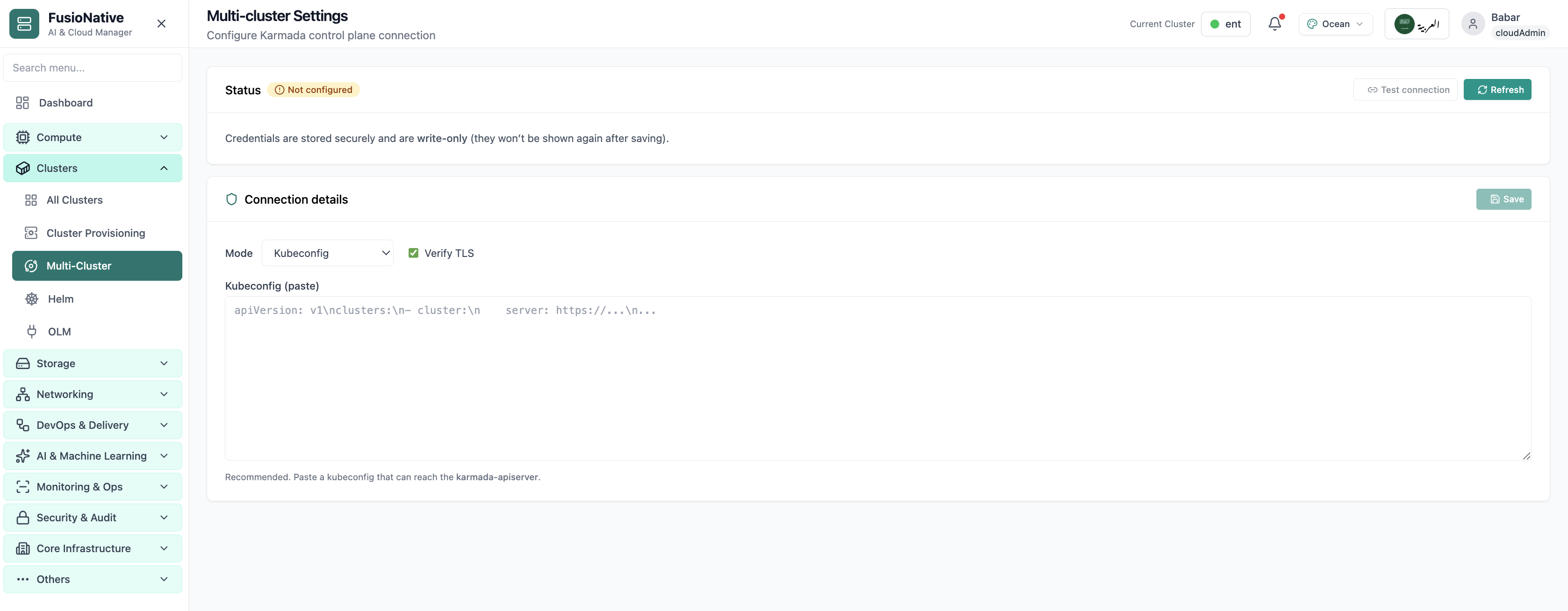
  • Multi-cluster settings align control planes for distributed sites
  • Networking workspace unifies services, ingress, and port-forward actions

How teams adopt it

  1. Step 1. Onboard core, edge, and lab clusters into a single fleet inventory
  2. Step 2. Monitor live performance analytics and cluster-scoped event streams
  3. Step 3. Troubleshoot services and ingress from the networking workspace
  4. Step 4. Promote changes through GitOps with the same navigation at every site
In Cloud Admin

What Telecommunications teams see in the product

Real screens—how and why each view matters for your sector.
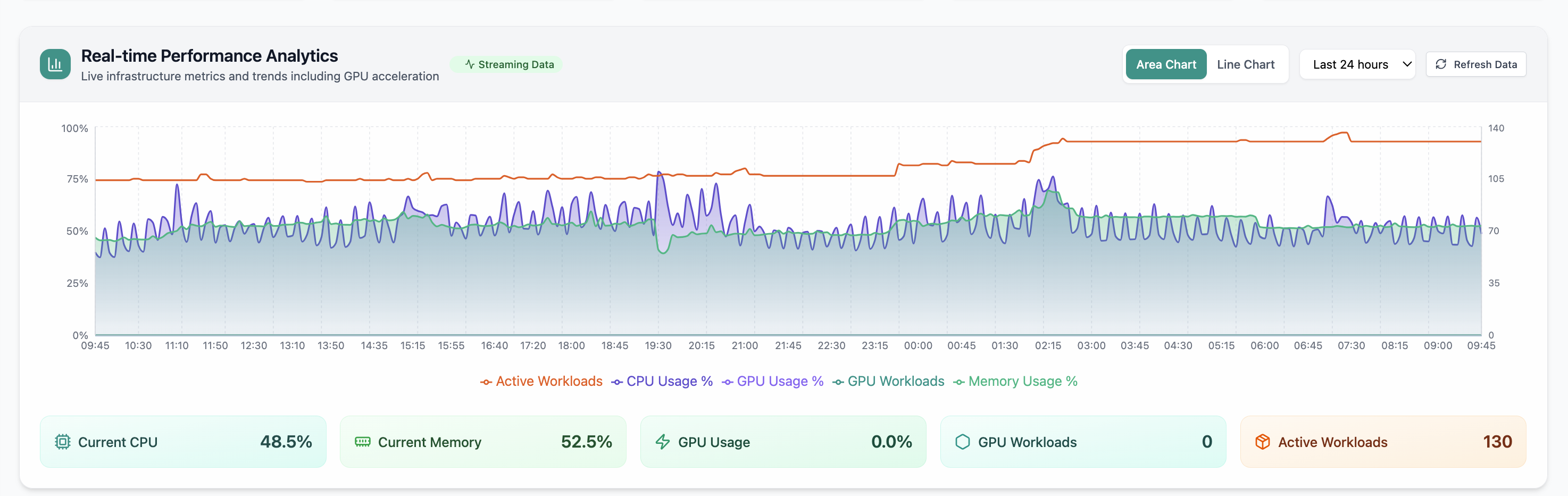
Live performance analytics
01 of 03 Cloud Admin

Live performance analytics

24-hour charts for CPU, memory, GPU, and workloads—how NOC teams spot regional spikes before they become outages.

  • Real-time fleet telemetry
  • Compare sites on one timeline
  • Jump from chart to cluster detail

Click to zoom and pan the screenshot.

Multi-cluster control
02 of 03 Cloud Admin

Multi-cluster control

Karmada-style settings keep distributed clusters attached to one operational model.

  • Consistent policies across sites
  • Fewer one-off cluster snowflakes
  • Central team retains override

Click to zoom and pan the screenshot.

Networking workspace
03 of 03 Cloud Admin

Networking workspace

Services, ingresses, and port forwards in one place—aligned with how telco platforms expose network functions.

  • Cluster and namespace scope
  • Create and lifecycle services
  • Less context switching during bridges

Click to zoom and pan the screenshot.