Compute · Kubernetes

Auto scaling that matches how your fleet actually behaves

Horizontal and vertical pod autoscaling, KEDA, cluster node autoscaling, events, recommendations, and scaling policies—cluster-scoped—with guided create flows for HPAs, VPAs, and KEDA ScaledObjects.

Product walkthrough

See it in Cloud Admin

Every frame below is a real Cloud Admin screen—paired with plain-language context so you know what you are looking at and why it matters operationally.

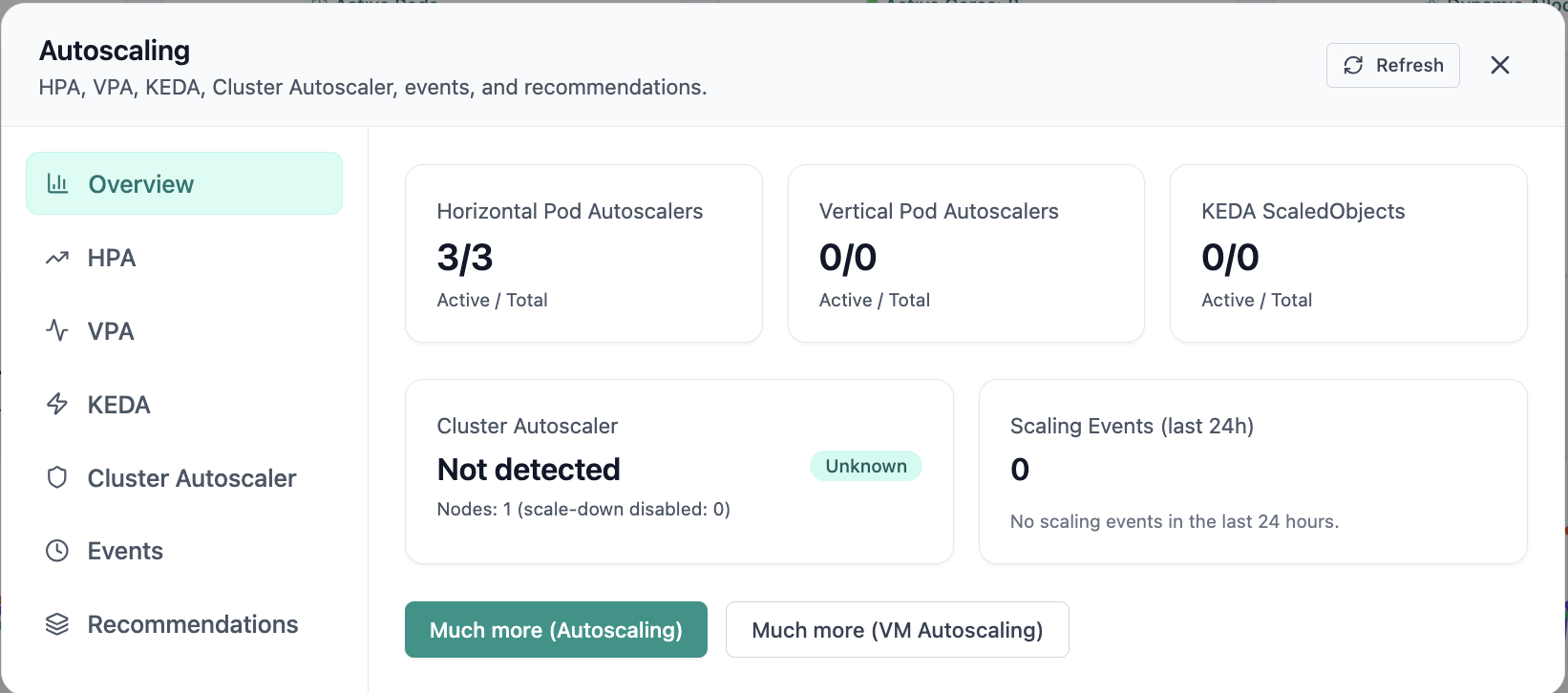
Autoscaling overview with HPA, VPA, KEDA, and CA cards.
01 of 03 Cloud Admin

Autoscaling · Overview

In Autoscaling, the Overview view answers one operational question at a time—autoscaling overview with hpa, vpa, keda, and ca cards. Part of autoscaling policies; use it when you need evidence before changing limits, scaling, or opening a ticket.

  • KPI strip shows the numbers leadership cares about first
  • Charts link utilization to time so you spot spikes quickly
  • One click into deeper tabs when something looks off

Click the screenshot to open full size, zoom, and pan.
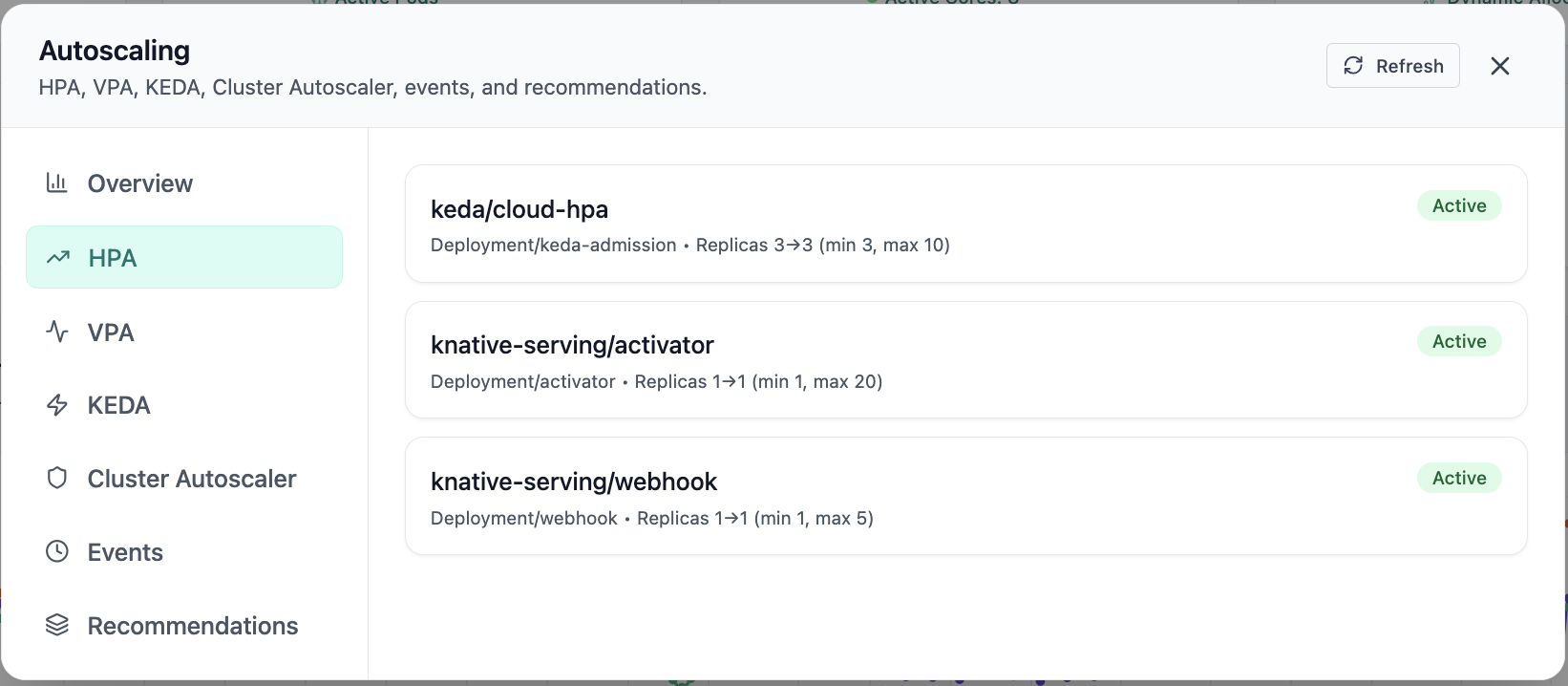
Active HPAs for keda and knative-serving.
02 of 03 Cloud Admin

Horizontal Pod Autoscalers

Active HPAs for keda and knative-serving. Real Cloud Admin UI for autoscaling policies—what operators see daily and what to do next.

  • Matches the live Cloud Admin layout your teams will use
  • Dense data stays readable at full size (click to zoom)
  • Fits into the broader FusioNative operational workflow

Click the screenshot to open full size, zoom, and pan.
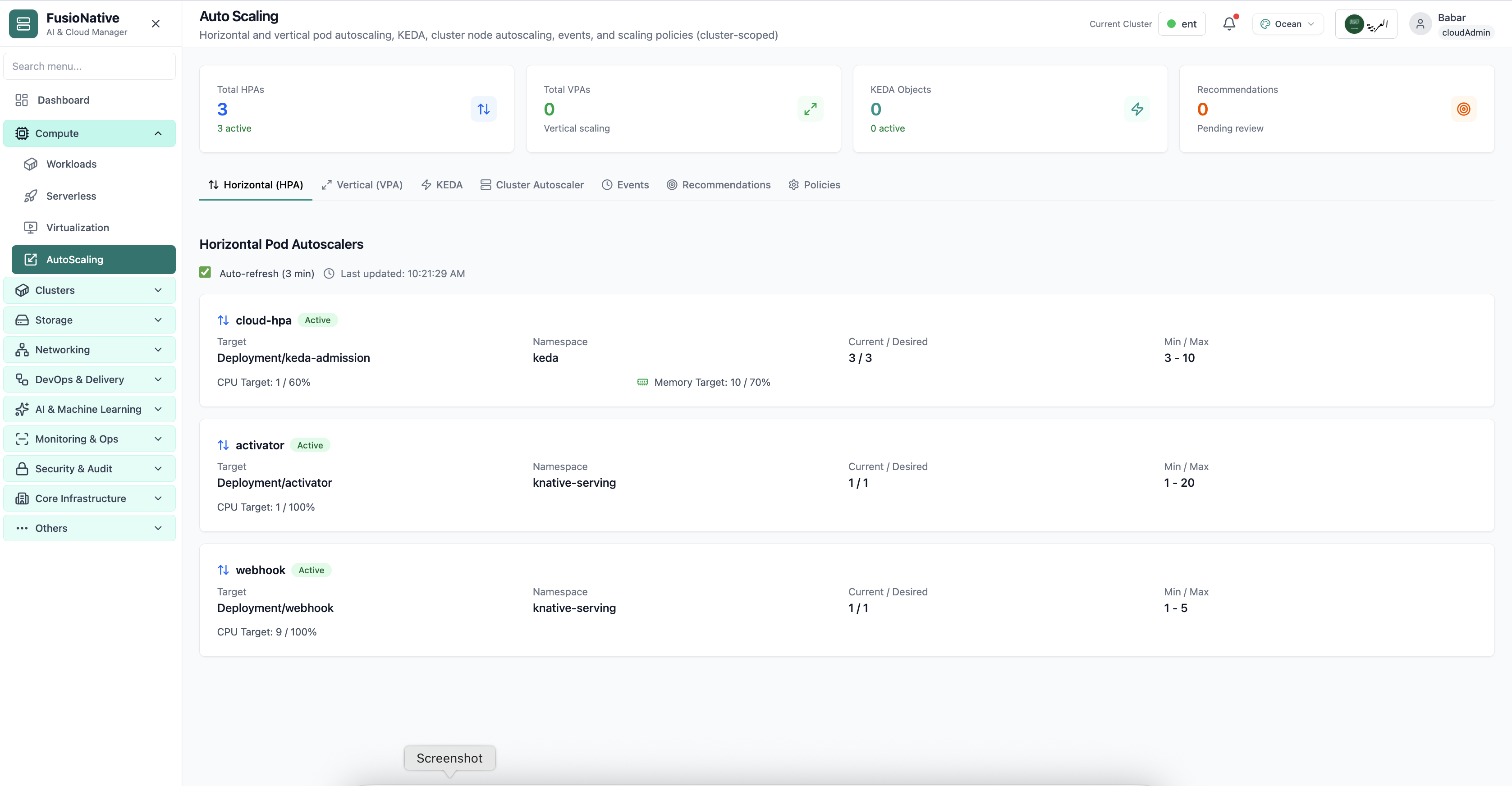
Kubernetes autoscaling configuration view.
03 of 03 Cloud Admin

K8s Auto Scaling

Kubernetes autoscaling configuration view. Real Cloud Admin UI for autoscaling policies—what operators see daily and what to do next.

  • Matches the live Cloud Admin layout your teams will use
  • Dense data stays readable at full size (click to zoom)
  • Fits into the broader FusioNative operational workflow

Click the screenshot to open full size, zoom, and pan.

Operator workflows

From insight to safe scale

Whether you scale on CPU, memory, custom metrics, or external events, the same dashboard keeps workload owners and platform engineers aligned.

Create & govern

Define HPAs and VPAs with clear targets; wire KEDA to queues, metrics, or custom triggers—then review recommendations before they land in production.

Observe & correlate

Events and policies tie scaling decisions back to namespaces and workloads so audits and postmortems have a paper trail.

Capacity coupling

Cluster Autoscaler context sits beside pod autoscalers so node-level and workload-level scaling stay in sync.

Put scaling policy next to production reality

See Auto Scaling in Cloud Admin alongside workloads, metrics, and clusters—one control plane for enterprise Kubernetes.

Get a demo