Monitoring & Ops

Cluster Resources — Kubernetes cluster dashboard

Under Monitoring & Ops → Resources (and the FN K8s Dashboard entry point), Cloud Admin shows one cluster at a glance: version and node count in the header, a KPI strip for CPU, memory, pods, namespaces, and readiness, then capacity vs usage charts and per-node cards with pod slots, CPU/memory/storage bars, and paths to details or console.

Product walkthrough

See it in Cloud Admin

Every frame below is a real Cloud Admin screen—paired with plain-language context so you know what you are looking at and why it matters operationally.

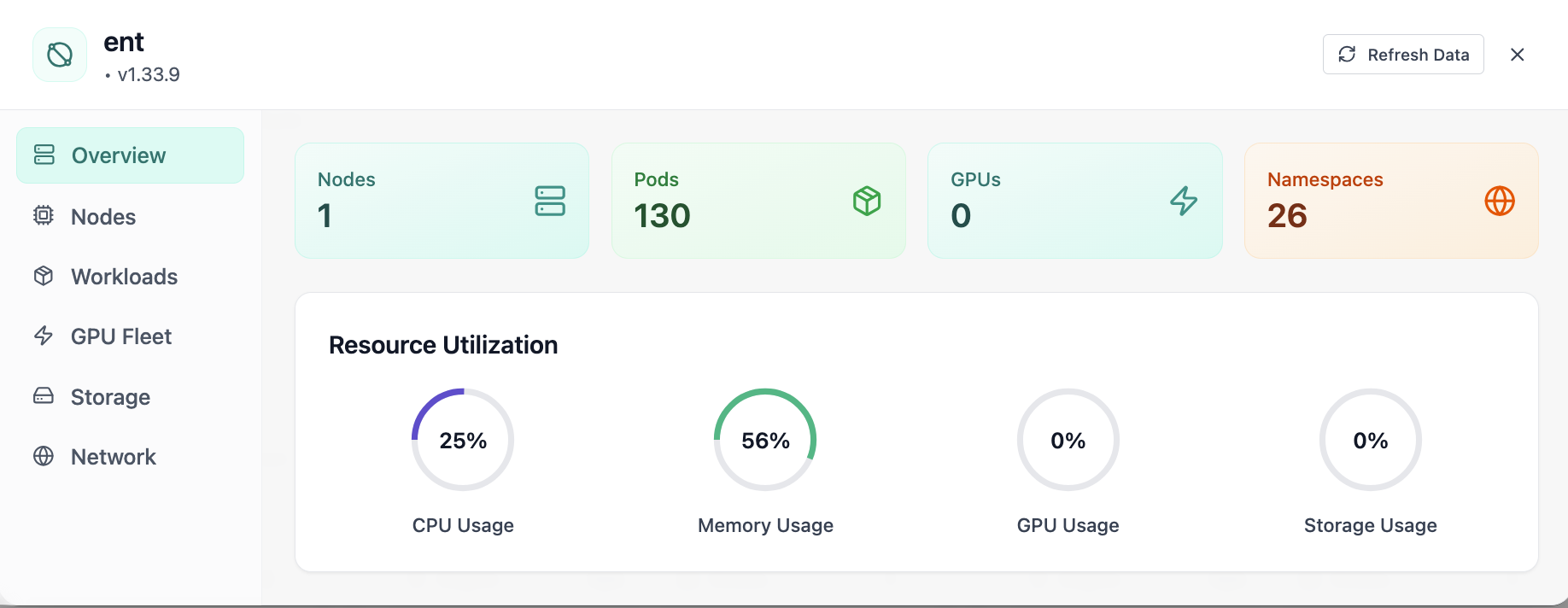
Cluster overview with nodes, pods, GPUs, and utilization gauges.
01 of 07 Cloud Admin

Cluster Overview

Your starting point for Kubernetes cluster operations: KPI cards and charts summarize fleet health, including cluster overview with nodes, pods, gpus, and utilization gauges. Spot drift early, then drill into the tab that explains the root cause.

  • GPU and inference signals stay beside Kubernetes metrics
  • Charts link utilization to time so you spot spikes quickly
  • One click into deeper tabs when something looks off

Click the screenshot to open full size, zoom, and pan.
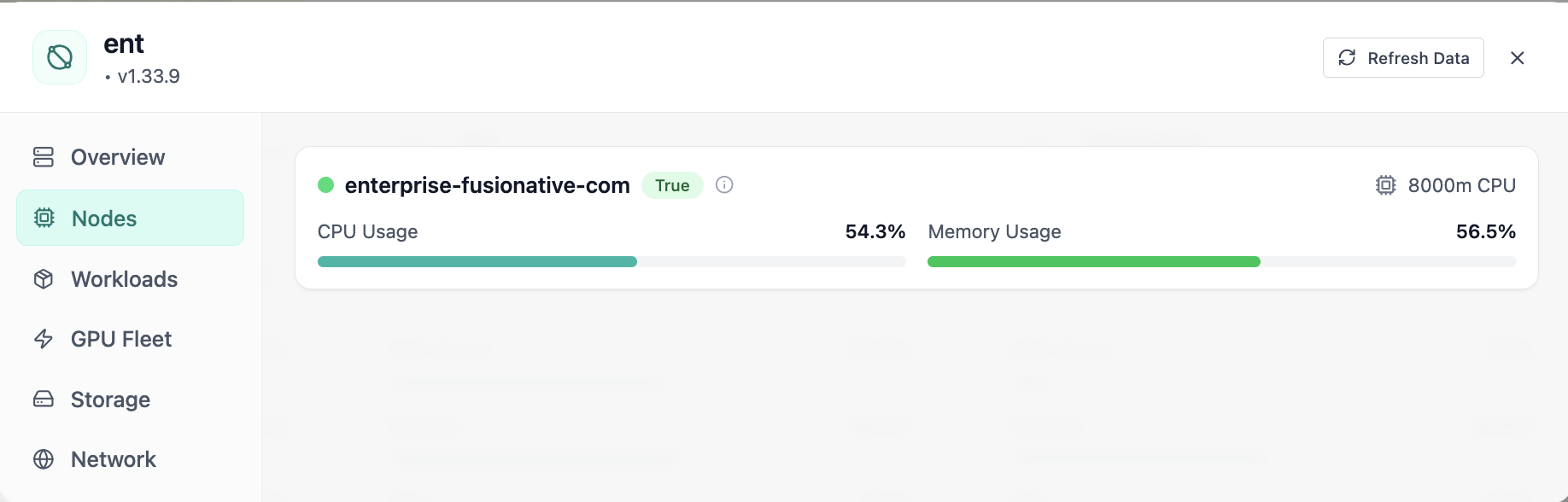
Cluster nodes view with CPU and memory usage per node.
02 of 07 Cloud Admin

Nodes

Cluster nodes view with CPU and memory usage per node. Real Cloud Admin UI for Kubernetes cluster operations—what operators see daily and what to do next.

  • Matches the live Cloud Admin layout your teams will use
  • Dense data stays readable at full size (click to zoom)
  • Fits into the broader FusioNative operational workflow

Click the screenshot to open full size, zoom, and pan.

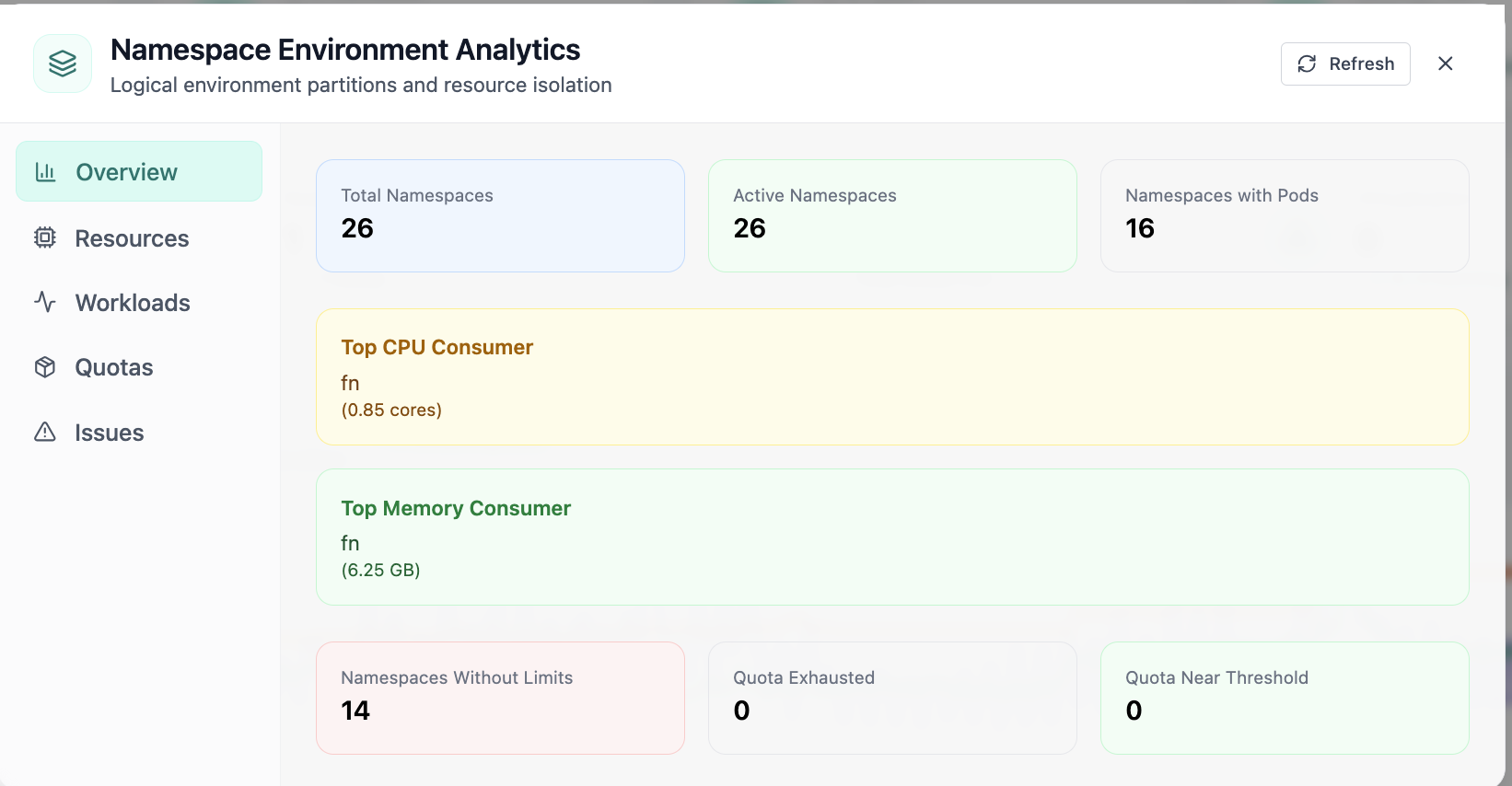
Namespace environment analytics overview and top consumers.
03 of 07 Cloud Admin

Namespace Analytics · Overview

In Namespace Analytics, the Overview view answers one operational question at a time—namespace environment analytics overview and top consumers. Part of Kubernetes cluster operations; use it when you need evidence before changing limits, scaling, or opening a ticket.

  • KPI strip shows the numbers leadership cares about first
  • Charts link utilization to time so you spot spikes quickly
  • One click into deeper tabs when something looks off

Click the screenshot to open full size, zoom, and pan.
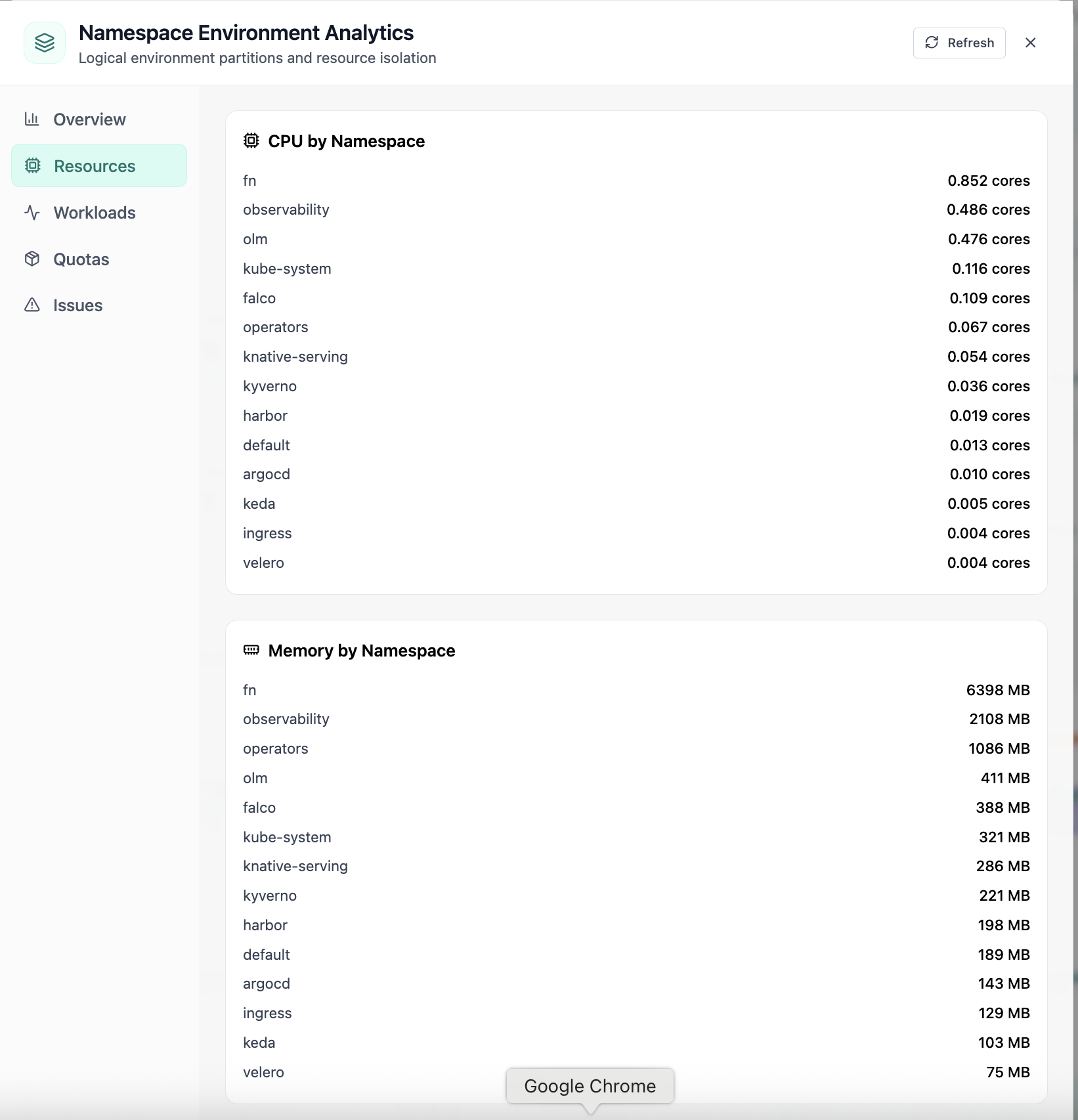
CPU and memory usage by namespace.
04 of 07 Cloud Admin

Namespace · Resources

In Namespace, the Resources view answers one operational question at a time—cpu and memory usage by namespace. Part of Kubernetes cluster operations; use it when you need evidence before changing limits, scaling, or opening a ticket.

  • Matches the live Cloud Admin layout your teams will use
  • Dense data stays readable at full size (click to zoom)
  • Fits into the broader FusioNative operational workflow

Click the screenshot to open full size, zoom, and pan.

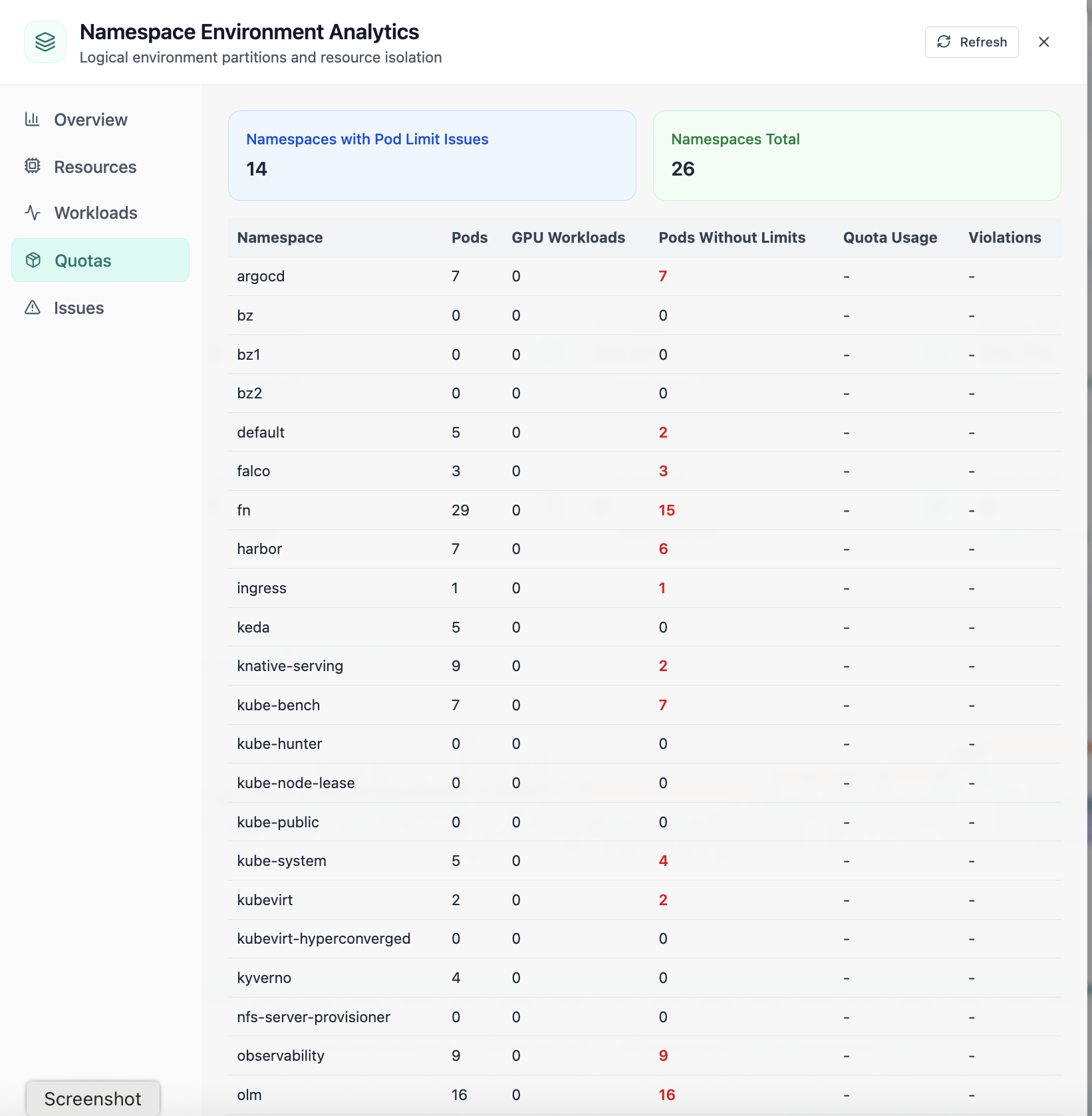
Namespace quota limits and pod limit issues.
05 of 07 Cloud Admin

Namespace · Quotas

In Namespace, the Quotas view answers one operational question at a time—namespace quota limits and pod limit issues. Part of Kubernetes cluster operations; use it when you need evidence before changing limits, scaling, or opening a ticket.

  • Per-organization limits visible to admins and tenants
  • Usage meters explain who is consuming shared capacity
  • Supports chargeback and fair-share policy conversations

Click the screenshot to open full size, zoom, and pan.

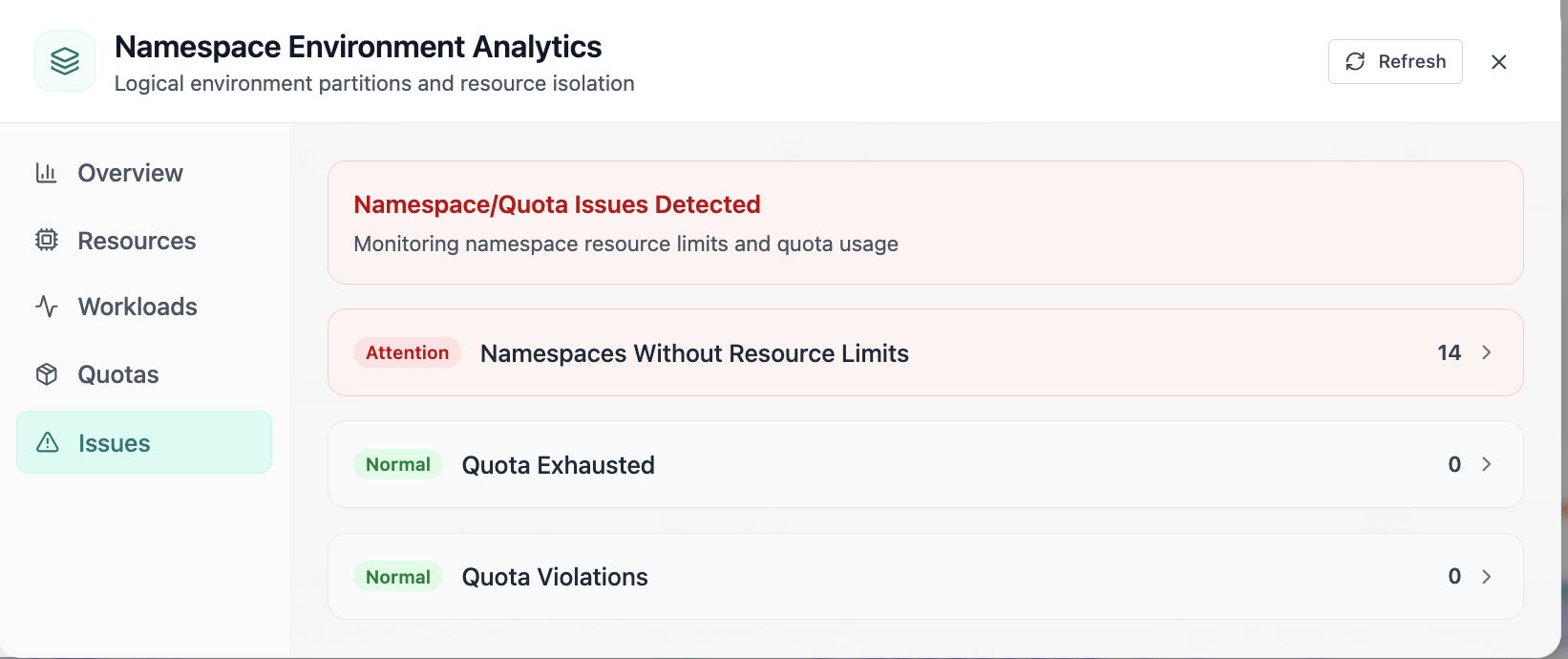
Namespaces without limits and quota violations.
06 of 07 Cloud Admin

Namespace · Issues

In Namespace, the Issues view answers one operational question at a time—namespaces without limits and quota violations. Part of Kubernetes cluster operations; use it when you need evidence before changing limits, scaling, or opening a ticket.

  • Problems ranked so the noisiest failures surface first
  • Enough context to assign an owner without opening five tools
  • Clear next step: scale, restart, patch quota, or escalate

Click the screenshot to open full size, zoom, and pan.

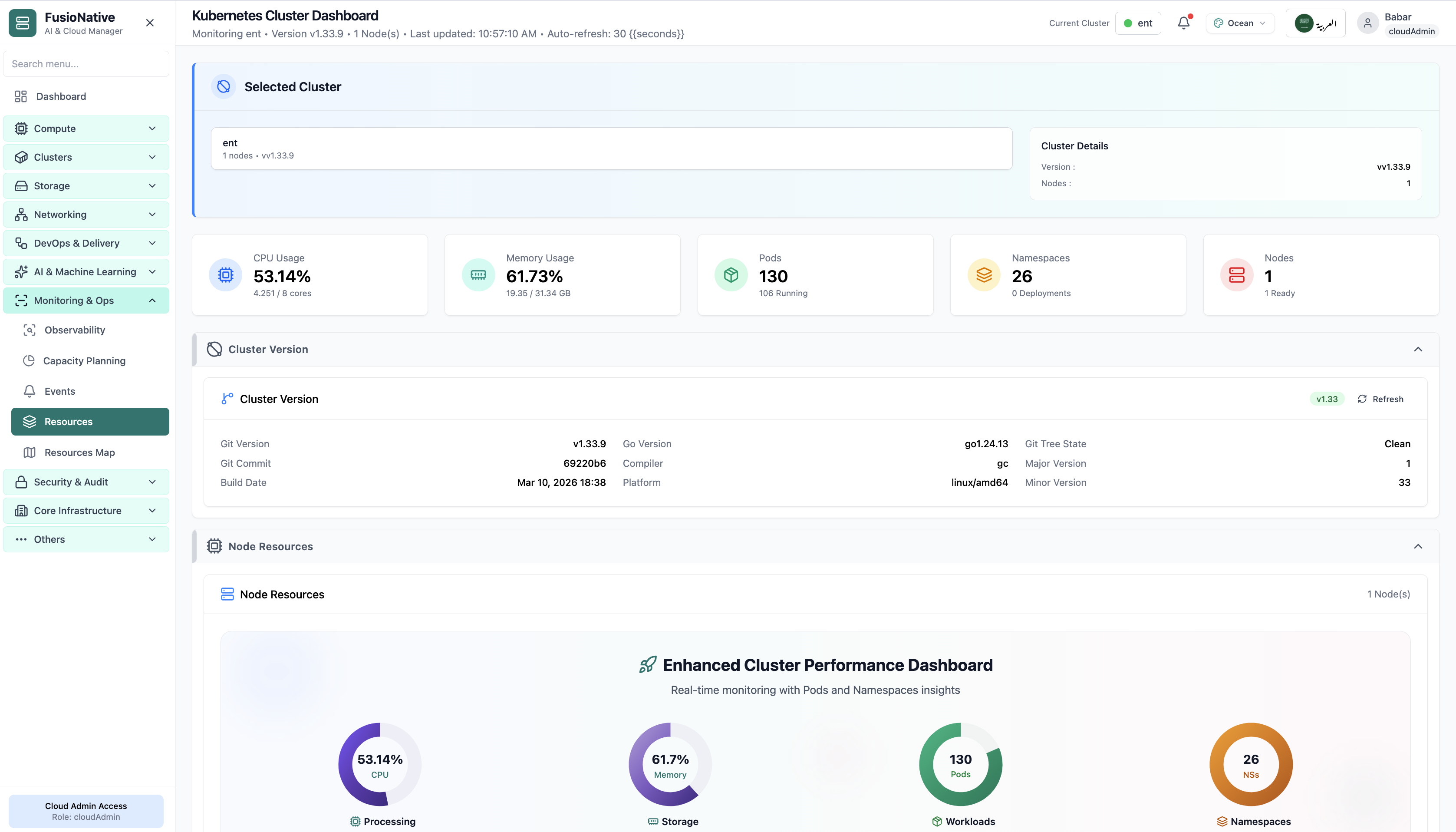
Kubernetes cluster dashboard with CPU, memory, pod, and node gauges.
07 of 07 Cloud Admin

Kubernetes Cluster Dashboard

Your starting point for Kubernetes cluster operations: KPI cards and charts summarize fleet health, including kubernetes cluster dashboard with cpu, memory, pod, and node gauges. Spot drift early, then drill into the tab that explains the root cause.

  • KPI strip shows the numbers leadership cares about first
  • Charts link utilization to time so you spot spikes quickly
  • One click into deeper tabs when something looks off

Click the screenshot to open full size, zoom, and pan.
From headline to node

One screen for “is the cluster healthy?” and “which node is lying?”

Cluster Resources bridges executive KPIs and SRE forensics: the same refresh cycle feeds the top strip, capacity vs usage bars, and node cards—so debates reference one dataset.

Warning thresholds baked in

Capacity charts call out when allocated share crosses policy bands—less guesswork than raw gauge colors alone.

Console when kubectl is faster

Node cards expose console access for operators who need immediate shell validation beside the charts.

Fleet-ready metadata

Version and build metadata help compare clusters during upgrades without opening vendor PDFs.