Storage · Kubernetes

Storage Infrastructure — PVs, PVCs, and classes in one plane

See Storage Classes, Persistent Volumes, and Volume Claims with live counts, bind ratio, and capacity vs requested totals. Drill into tabbed resource management, distribution charts, search and filters, card or list views, and create flows—without bouncing between CLIs and spreadsheets.

Product walkthrough

See it in Cloud Admin

Every frame below is a real Cloud Admin screen—paired with plain-language context so you know what you are looking at and why it matters operationally.

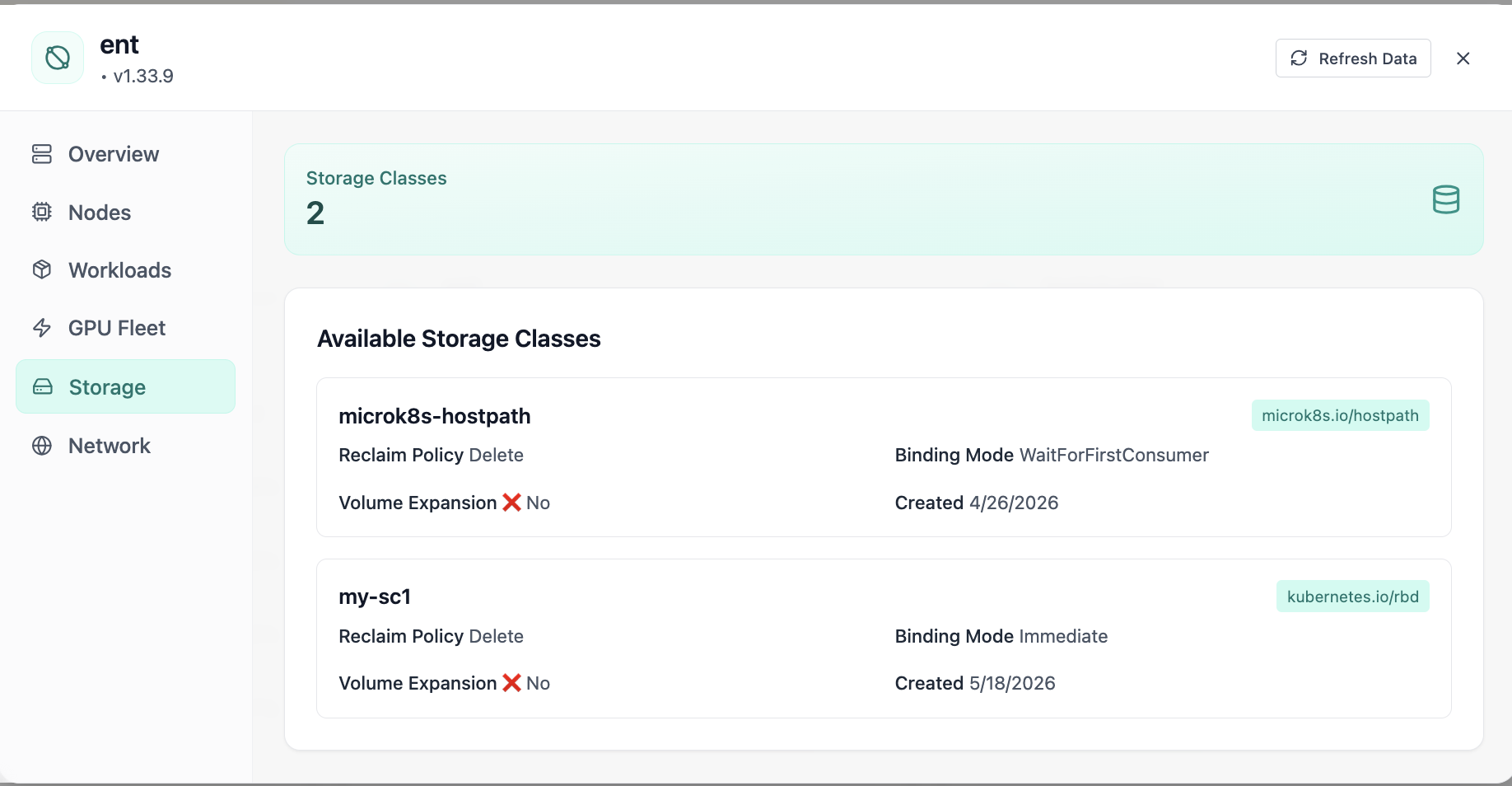
Available storage classes with reclaim policies.
01 of 05 Cloud Admin

Storage Classes

Available storage classes with reclaim policies. Real Cloud Admin UI for storage infrastructure—what operators see daily and what to do next.

  • Matches the live Cloud Admin layout your teams will use
  • Dense data stays readable at full size (click to zoom)
  • Fits into the broader FusioNative operational workflow

Click the screenshot to open full size, zoom, and pan.
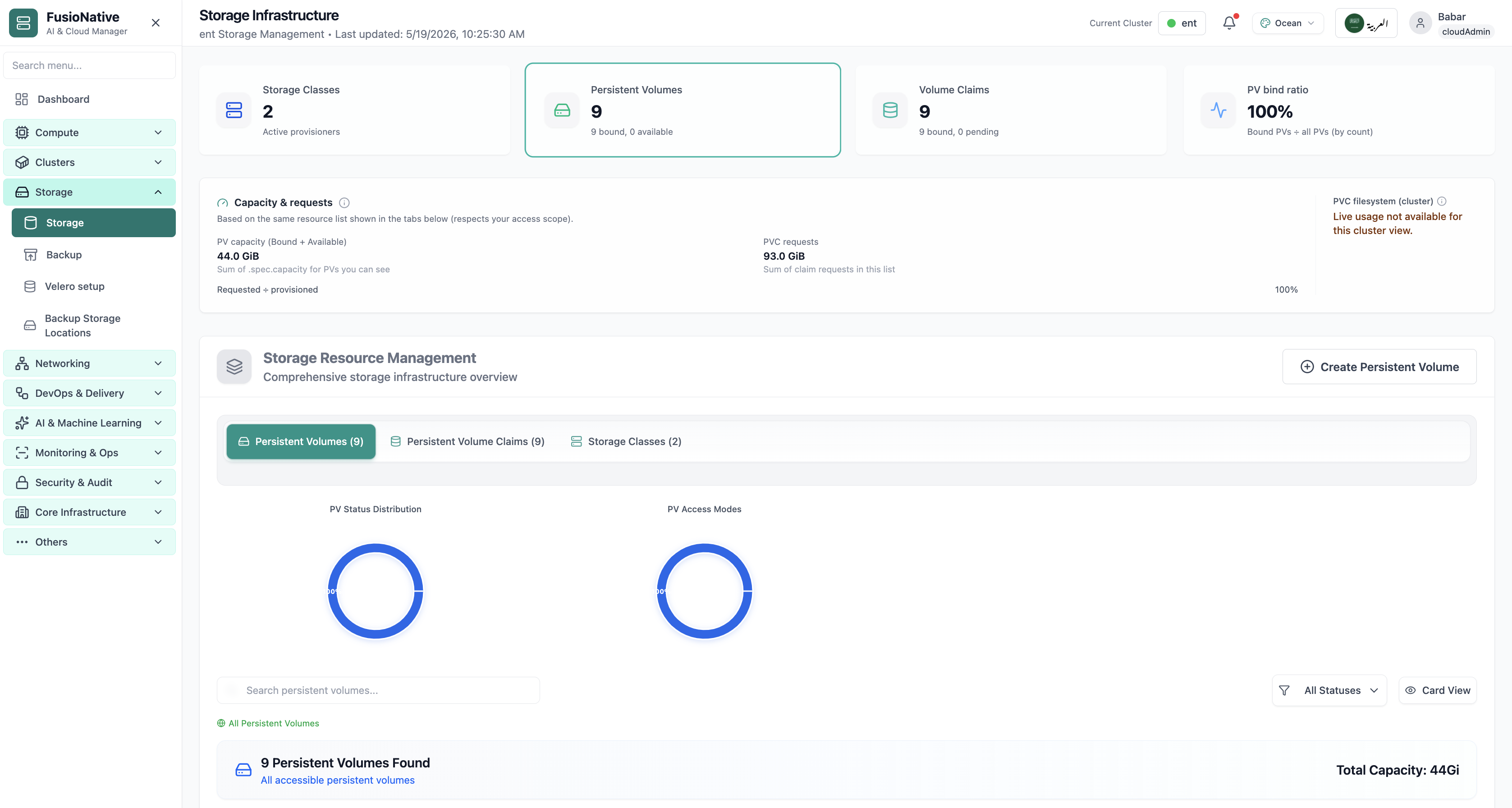
Storage infrastructure dashboard with PV, PVC, and capacity.
02 of 05 Cloud Admin

Storage Infrastructure

Storage infrastructure dashboard with PV, PVC, and capacity. Real Cloud Admin UI for storage infrastructure—what operators see daily and what to do next.

  • Matches the live Cloud Admin layout your teams will use
  • Dense data stays readable at full size (click to zoom)
  • Fits into the broader FusioNative operational workflow

Click the screenshot to open full size, zoom, and pan.
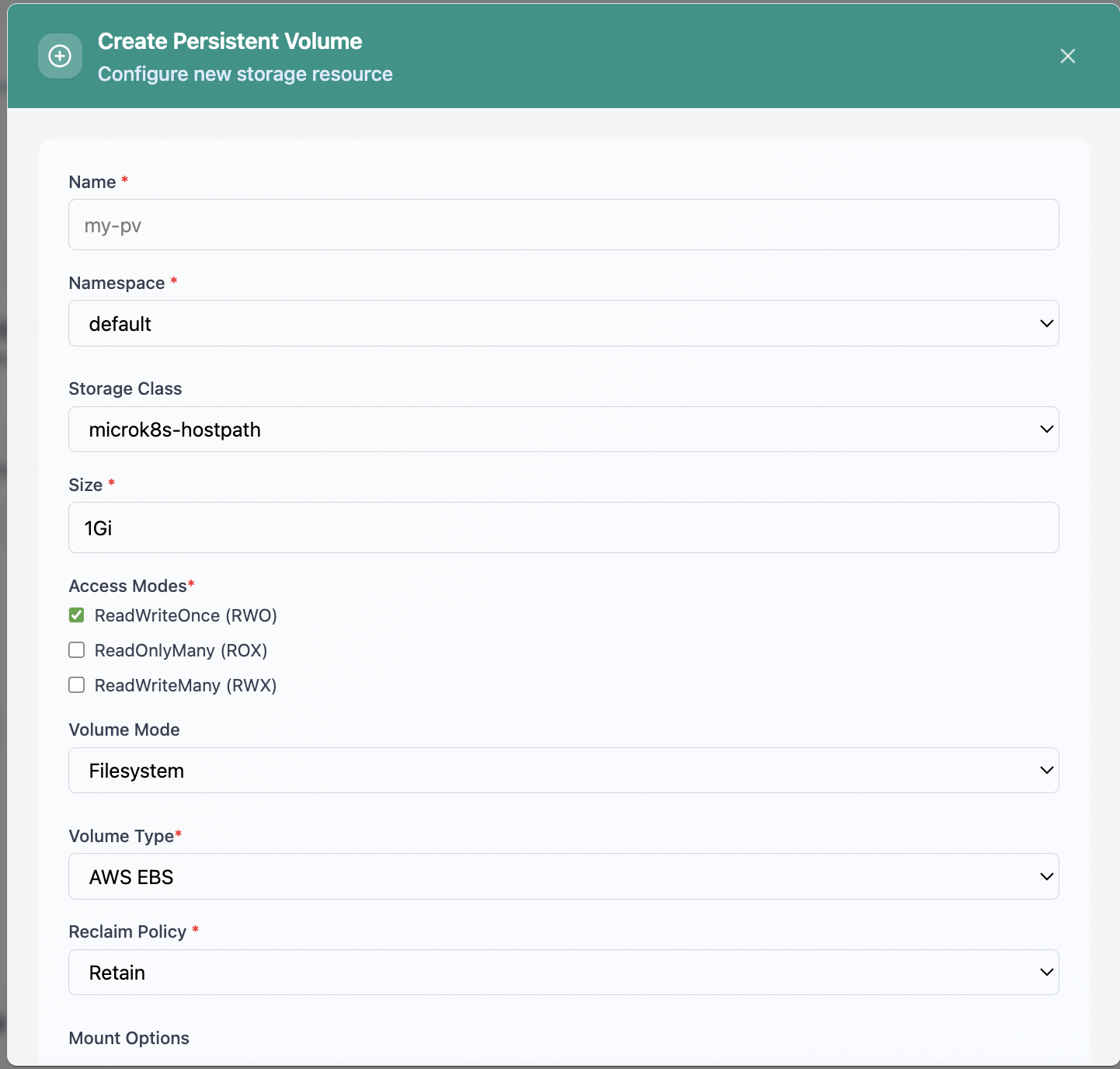
Create Persistent Volume form.
03 of 05 Cloud Admin

Create Persistent Volume

Create Persistent Volume form. Real Cloud Admin UI for storage infrastructure—what operators see daily and what to do next.

  • Matches the live Cloud Admin layout your teams will use
  • Dense data stays readable at full size (click to zoom)
  • Fits into the broader FusioNative operational workflow

Click the screenshot to open full size, zoom, and pan.
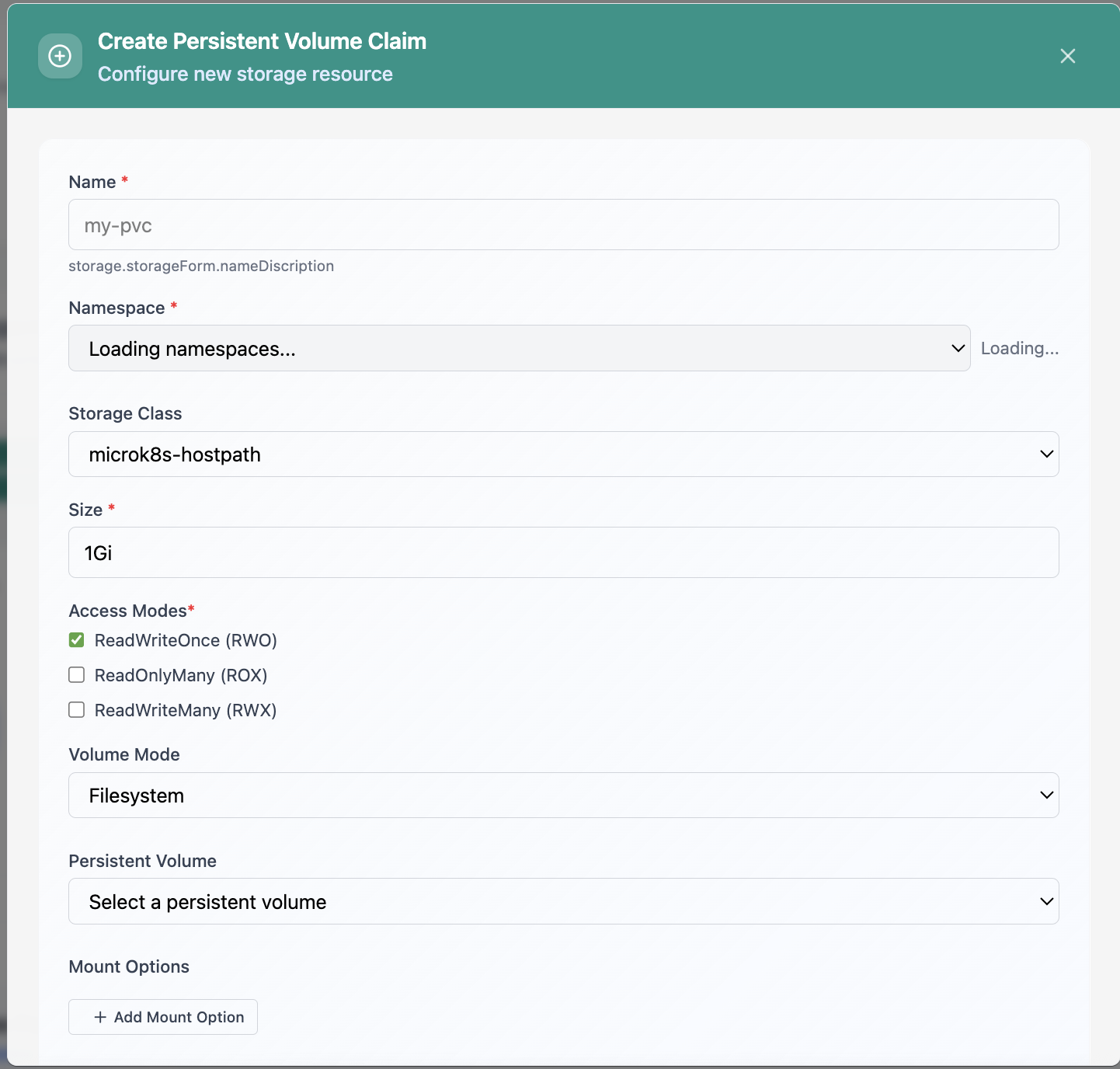
Create Persistent Volume Claim form.
04 of 05 Cloud Admin

Create PVC

Create Persistent Volume Claim form. Real Cloud Admin UI for storage infrastructure—what operators see daily and what to do next.

  • Matches the live Cloud Admin layout your teams will use
  • Dense data stays readable at full size (click to zoom)
  • Fits into the broader FusioNative operational workflow

Click the screenshot to open full size, zoom, and pan.
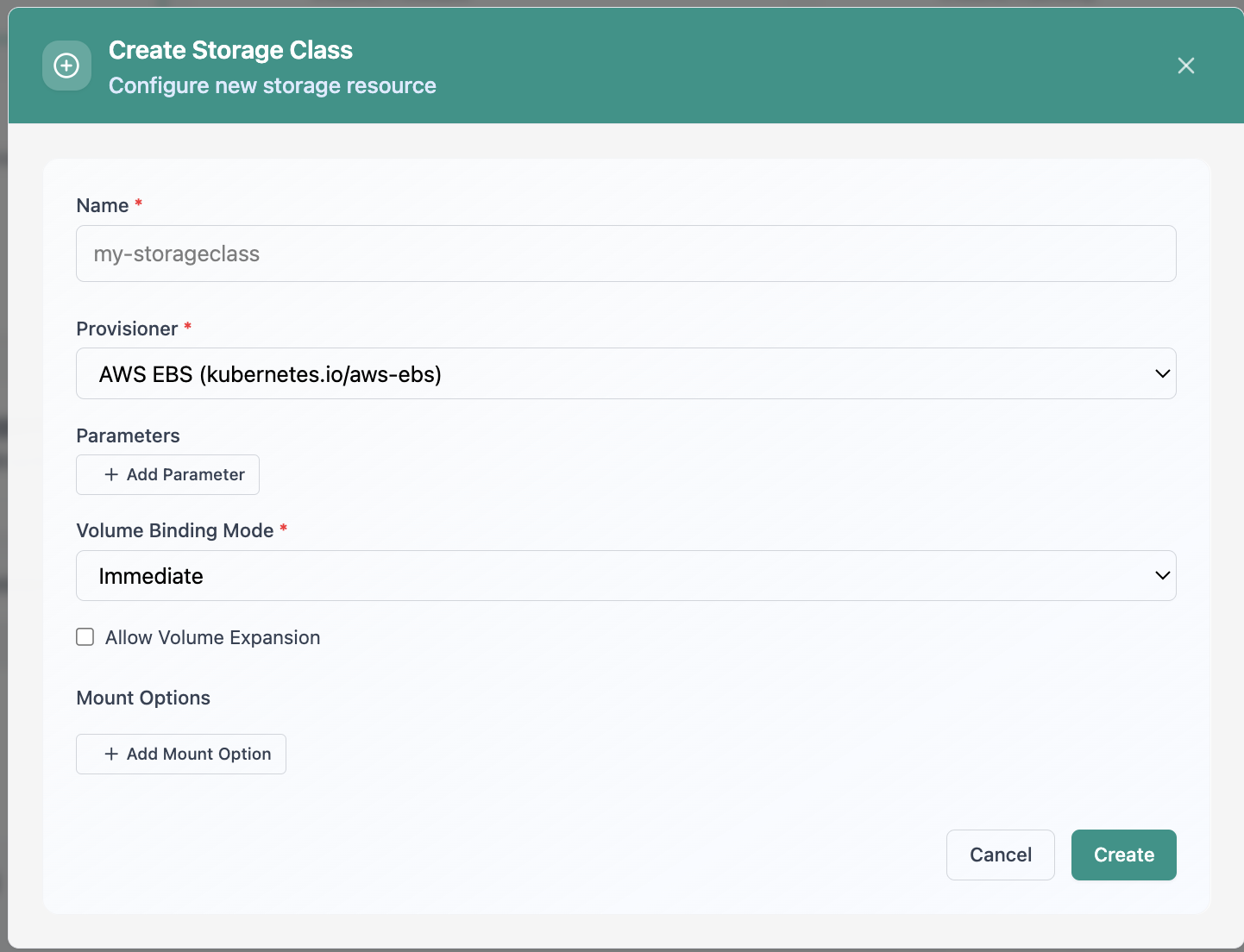
Create Storage Class configuration.
05 of 05 Cloud Admin

Create Storage Class

Create Storage Class configuration. Real Cloud Admin UI for storage infrastructure—what operators see daily and what to do next.

  • Matches the live Cloud Admin layout your teams will use
  • Dense data stays readable at full size (click to zoom)
  • Fits into the broader FusioNative operational workflow

Click the screenshot to open full size, zoom, and pan.

Capacity discipline

Storage is a fleet concern—not a secret spreadsheet

When bind ratio, reclaim policy, and requested GiB share one surface, platform teams can plan changes instead of firefighting disk.

See the whole stack

Classes, volumes, and claims together—charts for status and access modes, not guesswork.

Match requests to reality

Compare PVC requests to PV capacity totals for the same scoped list you operate on.

Act from the UI

Search, filter, switch views, and create volumes where policy allows—fewer context switches.

Put storage operations next to cluster reality

Run Storage Infrastructure from Cloud Admin next to workloads, clusters, and backup—one control plane for Kubernetes data paths.

Get a demo