Core infrastructure

Compute Engine — control plane health & kubelet truth

Under Core Infrastructure → Compute Engine, Cloud Admin focuses on the node that runs your API server: rolling 24h trends for CPU, memory, root filesystem pressure, and network throughput—paired with container runtime versions, kubelet builds, kube-proxy posture, and intent-driven actions that persist as ConfigMaps for reconcilers.

Product walkthrough

See it in Cloud Admin

Every frame below is a real Cloud Admin screen—paired with plain-language context so you know what you are looking at and why it matters operationally.

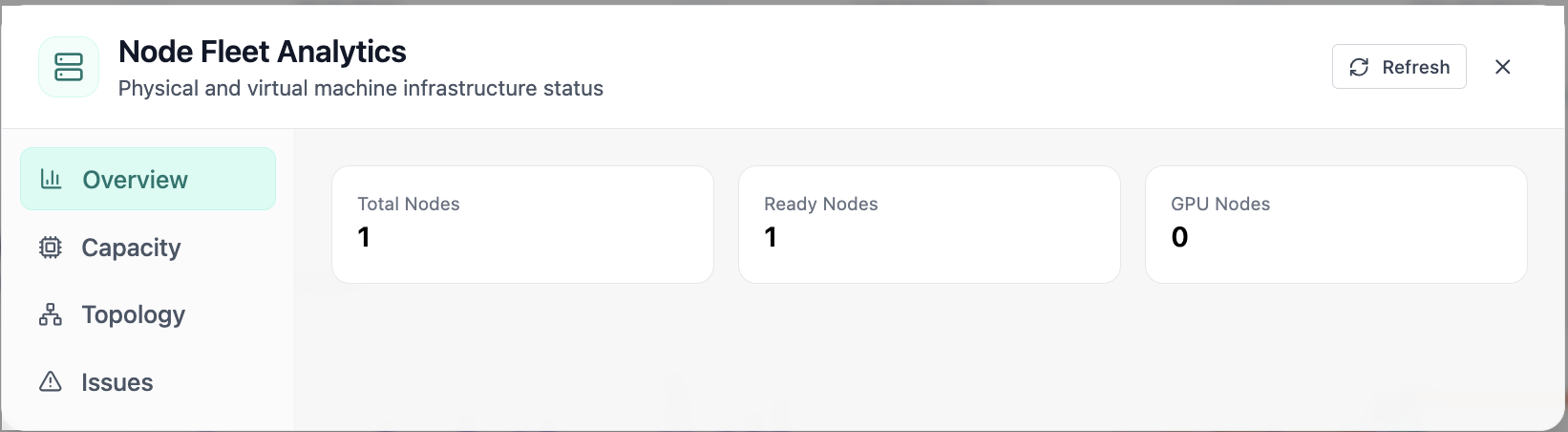
Node fleet analytics with ready and GPU node counts.
01 of 03 Cloud Admin

Node Fleet · Overview

In Node Fleet, the Overview view answers one operational question at a time—node fleet analytics with ready and gpu node counts. Part of compute engine; use it when you need evidence before changing limits, scaling, or opening a ticket.

  • GPU and inference signals stay beside Kubernetes metrics
  • Charts link utilization to time so you spot spikes quickly
  • One click into deeper tabs when something looks off

Click the screenshot to open full size, zoom, and pan.
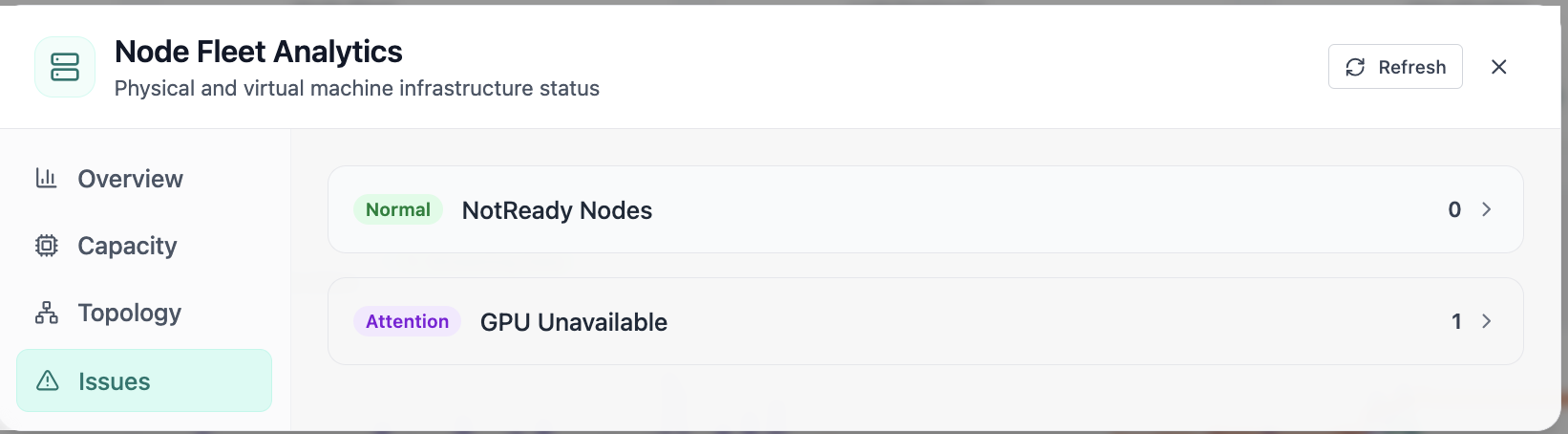
Node fleet issues including NotReady and GPU availability.
02 of 03 Cloud Admin

Node Fleet · Issues

In Node Fleet, the Issues view answers one operational question at a time—node fleet issues including notready and gpu availability. Part of compute engine; use it when you need evidence before changing limits, scaling, or opening a ticket.

  • GPU and inference signals stay beside Kubernetes metrics
  • Enough context to assign an owner without opening five tools
  • Clear next step: scale, restart, patch quota, or escalate

Click the screenshot to open full size, zoom, and pan.
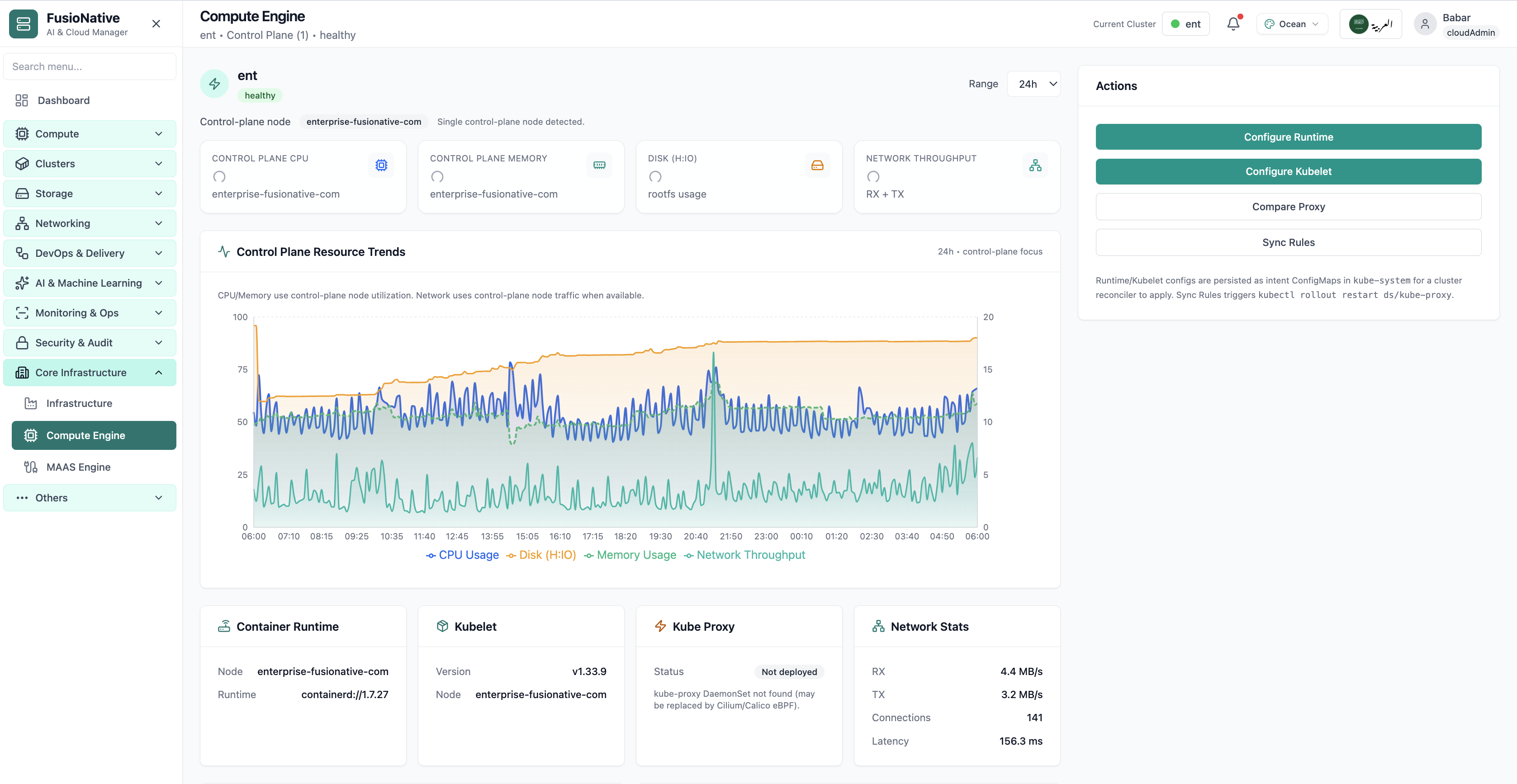
Compute Engine control-plane metrics and kubelet status.
03 of 03 Cloud Admin

Compute Engine

Compute Engine control-plane metrics and kubelet status. Real Cloud Admin UI for compute engine—what operators see daily and what to do next.

  • Matches the live Cloud Admin layout your teams will use
  • Dense data stays readable at full size (click to zoom)
  • Fits into the broader FusioNative operational workflow

Click the screenshot to open full size, zoom, and pan.

Intent, not improvisation

Put kubelet and runtime changes where GitOps can find them

Compute Engine bridges live telemetry with reconciler-ready Intent ConfigMaps—operators edit purposefully, automation applies consistently, and dashboards stay trustworthy.

Same window, dual tempo

Executives read KPI badges while engineers validate kubelet semver against change records.

Truthful proxy story

Explicit kube-proxy deployment notes stop witch hunts when Service routing shifts to eBPF.

Rollouts with receipts

Sync Rules couples kubectl rollouts to intent updates—bridges see causality, not mystery reboots.