Compute · KubeVirt

Virtualization infrastructure

Manage and monitor cluster-wide KubeVirt resources, capacity, and health from a single dashboard—aligned with how operators actually run VMs on Kubernetes.

Product walkthrough

See it in Cloud Admin

Every frame below is a real Cloud Admin screen—paired with plain-language context so you know what you are looking at and why it matters operationally.

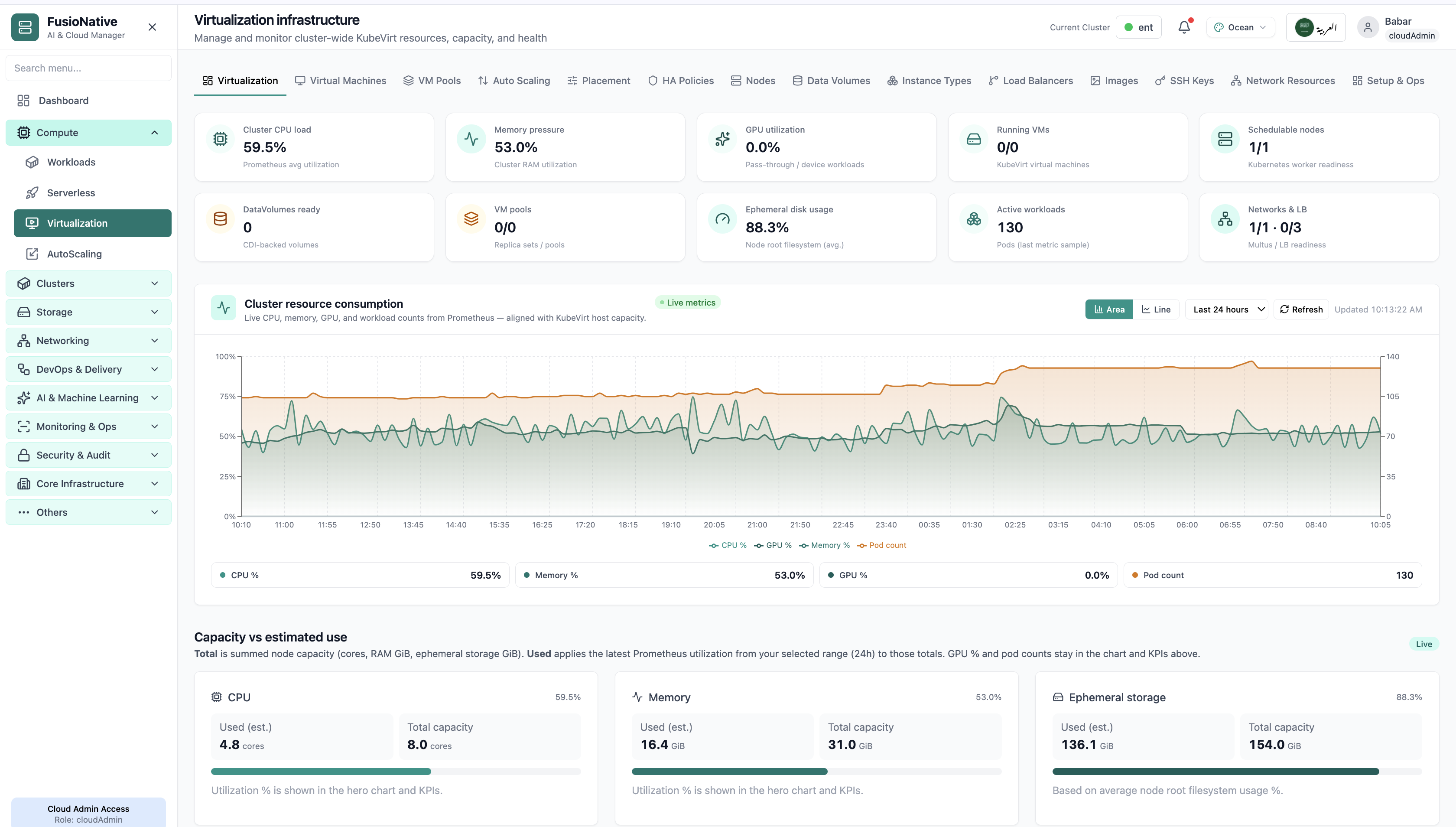
KubeVirt KPIs and resource consumption chart.
01 of 14 Cloud Admin

Virtualization dashboard

Your starting point for KubeVirt virtualization: KPI cards and charts summarize fleet health, including kubevirt kpis and resource consumption chart. Spot drift early, then drill into the tab that explains the root cause.

  • KPI strip shows the numbers leadership cares about first
  • Charts link utilization to time so you spot spikes quickly
  • One click into deeper tabs when something looks off

Click the screenshot to open full size, zoom, and pan.
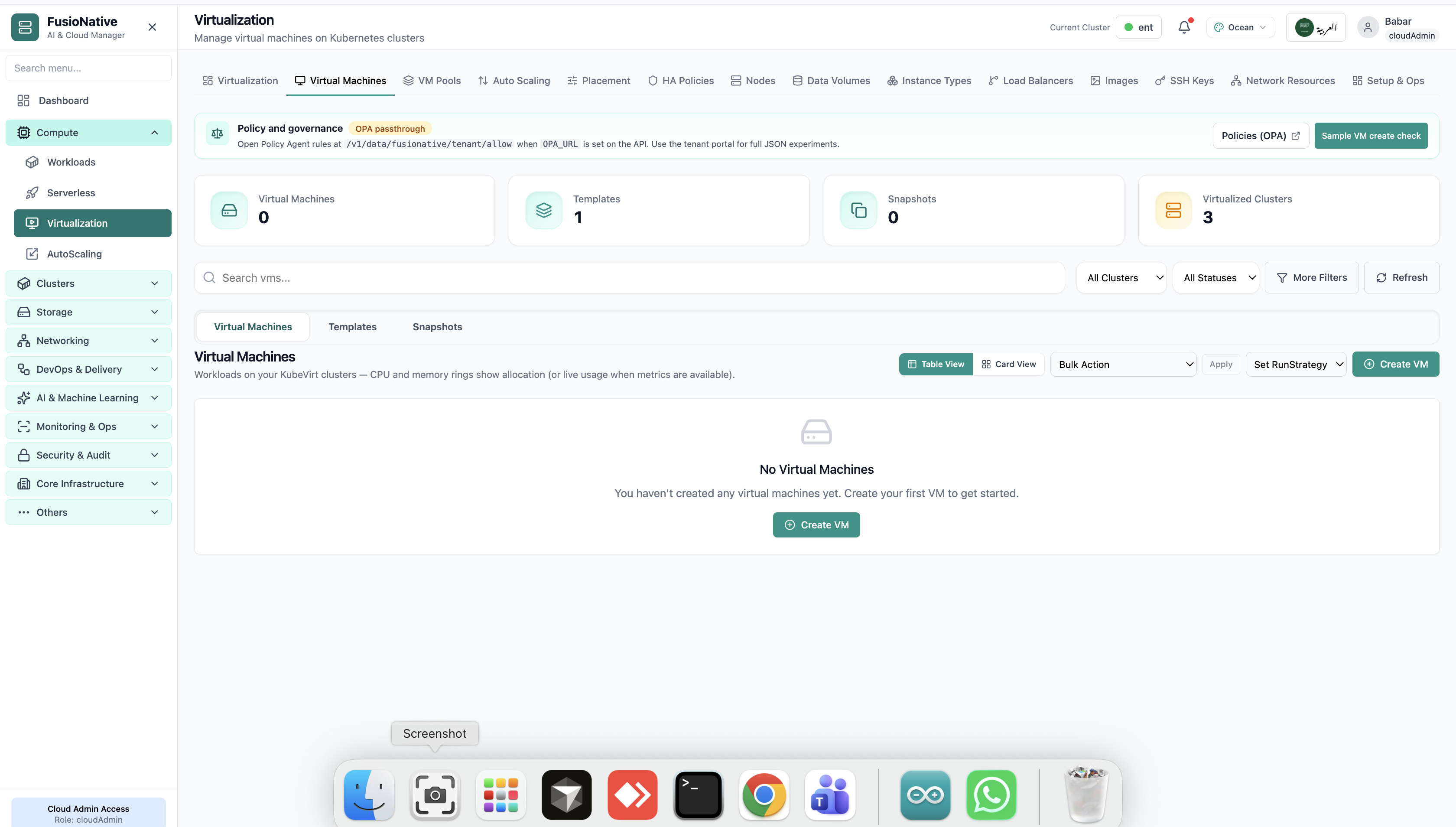
Virtual machines tab with create VM action.
02 of 14 Cloud Admin

Virtual Machines

Virtual machines tab with create VM action. Real Cloud Admin UI for KubeVirt virtualization—what operators see daily and what to do next.

  • Matches the live Cloud Admin layout your teams will use
  • Dense data stays readable at full size (click to zoom)
  • Fits into the broader FusioNative operational workflow

Click the screenshot to open full size, zoom, and pan.
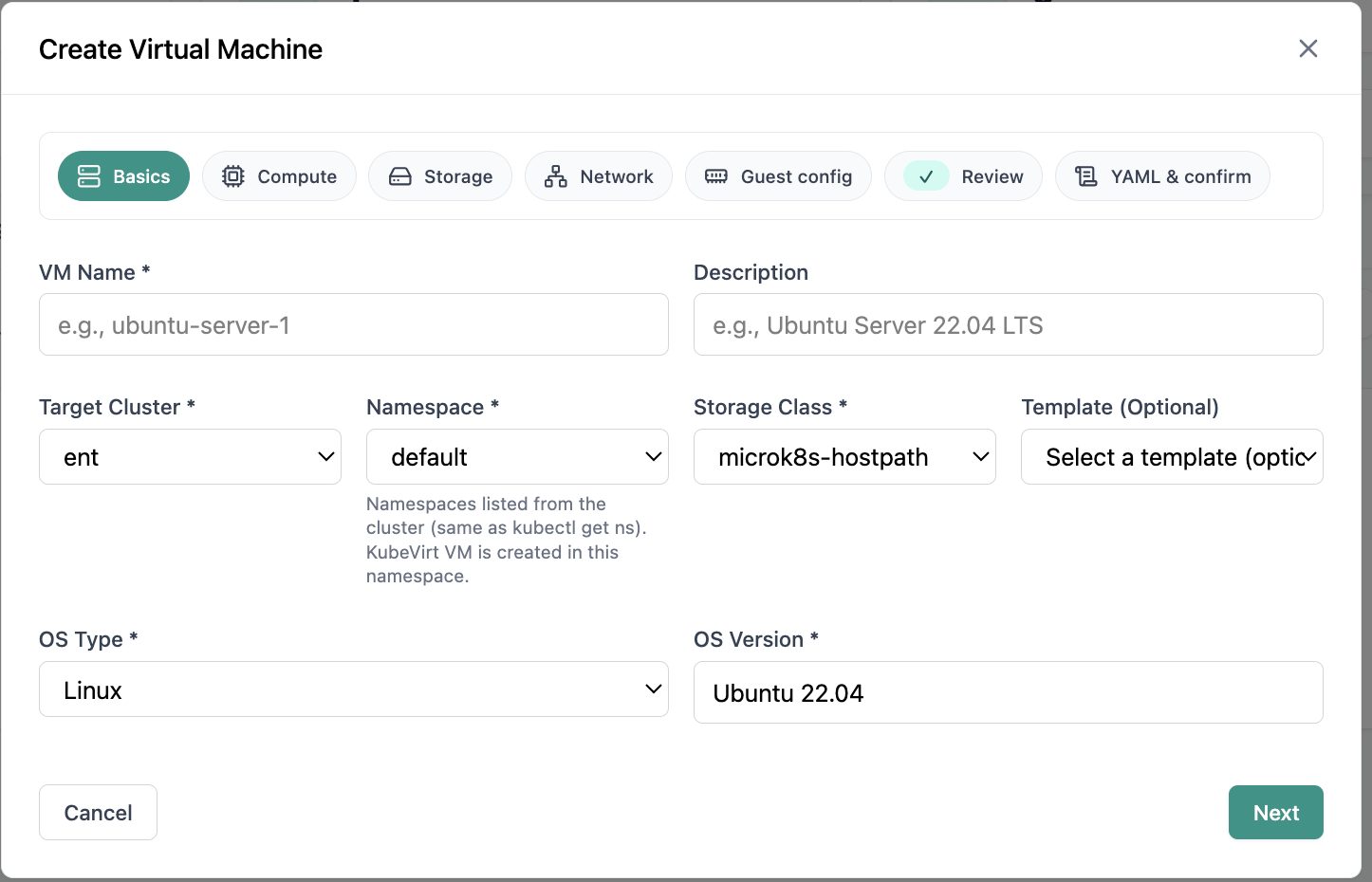
Create VM wizard basics step.
03 of 14 Cloud Admin

Create Virtual Machine

Create VM wizard basics step. Real Cloud Admin UI for KubeVirt virtualization—what operators see daily and what to do next.

  • Matches the live Cloud Admin layout your teams will use
  • Dense data stays readable at full size (click to zoom)
  • Fits into the broader FusioNative operational workflow

Click the screenshot to open full size, zoom, and pan.
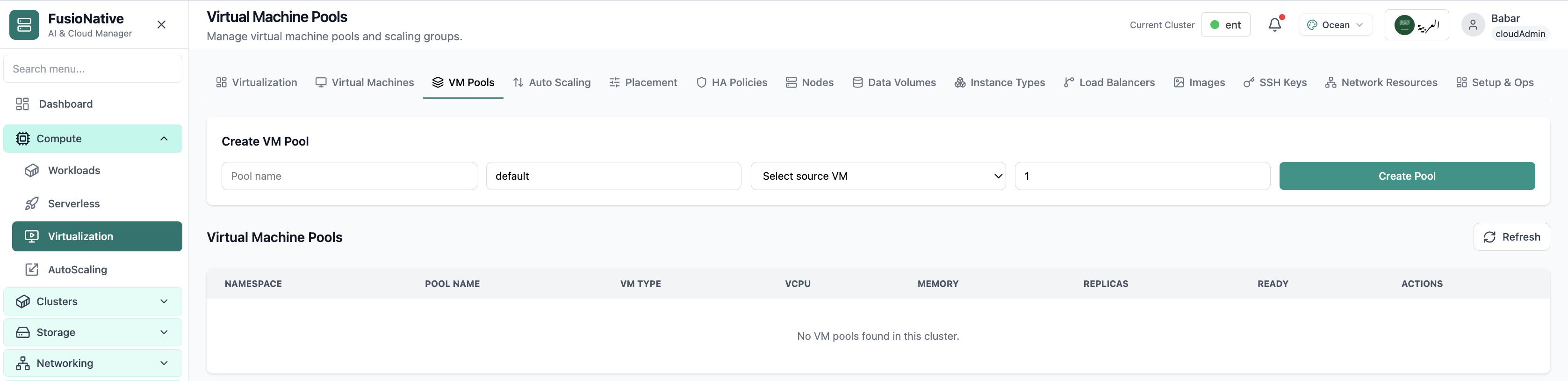
Virtual machine pools management.
04 of 14 Cloud Admin

VM Pools

Virtual machine pools management. Real Cloud Admin UI for KubeVirt virtualization—what operators see daily and what to do next.

  • Matches the live Cloud Admin layout your teams will use
  • Dense data stays readable at full size (click to zoom)
  • Fits into the broader FusioNative operational workflow

Click the screenshot to open full size, zoom, and pan.
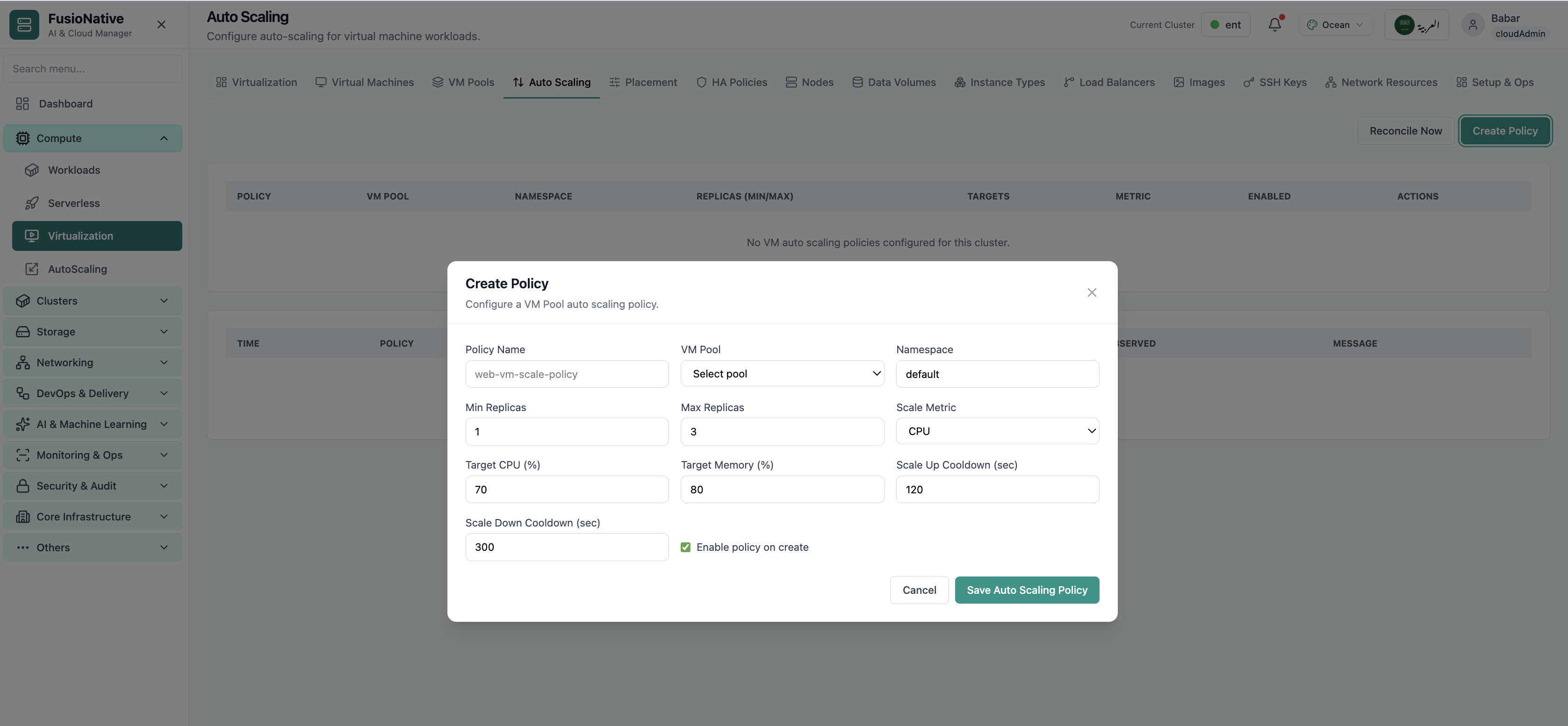
Virtualization auto scaling settings.
05 of 14 Cloud Admin

VM Auto Scaling

Virtualization auto scaling settings. Real Cloud Admin UI for KubeVirt virtualization—what operators see daily and what to do next.

  • Matches the live Cloud Admin layout your teams will use
  • Dense data stays readable at full size (click to zoom)
  • Fits into the broader FusioNative operational workflow

Click the screenshot to open full size, zoom, and pan.
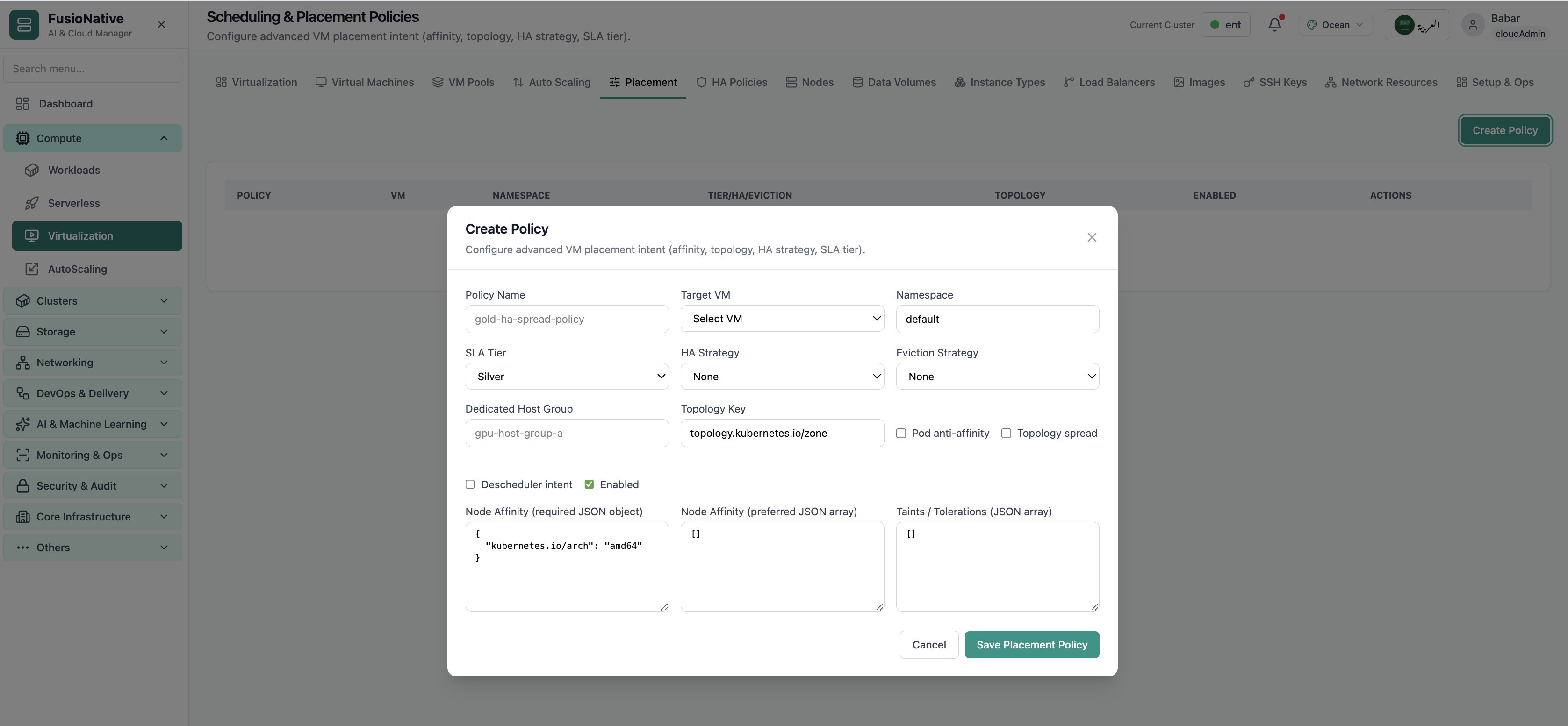
Scheduling and placement policies.
06 of 14 Cloud Admin

Scheduling Policies

Scheduling and placement policies. Real Cloud Admin UI for KubeVirt virtualization—what operators see daily and what to do next.

  • Matches the live Cloud Admin layout your teams will use
  • Dense data stays readable at full size (click to zoom)
  • Fits into the broader FusioNative operational workflow

Click the screenshot to open full size, zoom, and pan.
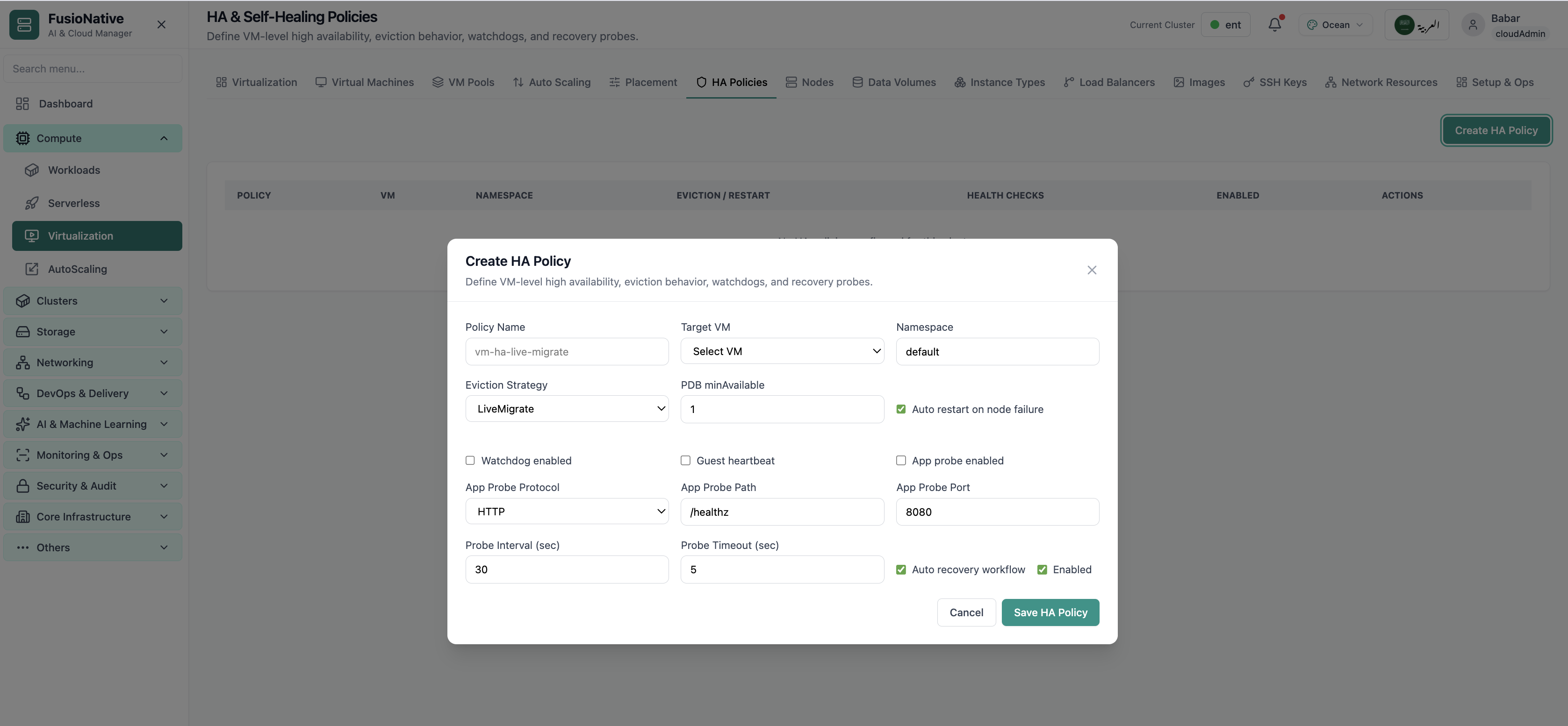
High availability and self-healing policies.
07 of 14 Cloud Admin

HA Policies

High availability and self-healing policies. Real Cloud Admin UI for KubeVirt virtualization—what operators see daily and what to do next.

  • Matches the live Cloud Admin layout your teams will use
  • Dense data stays readable at full size (click to zoom)
  • Fits into the broader FusioNative operational workflow

Click the screenshot to open full size, zoom, and pan.
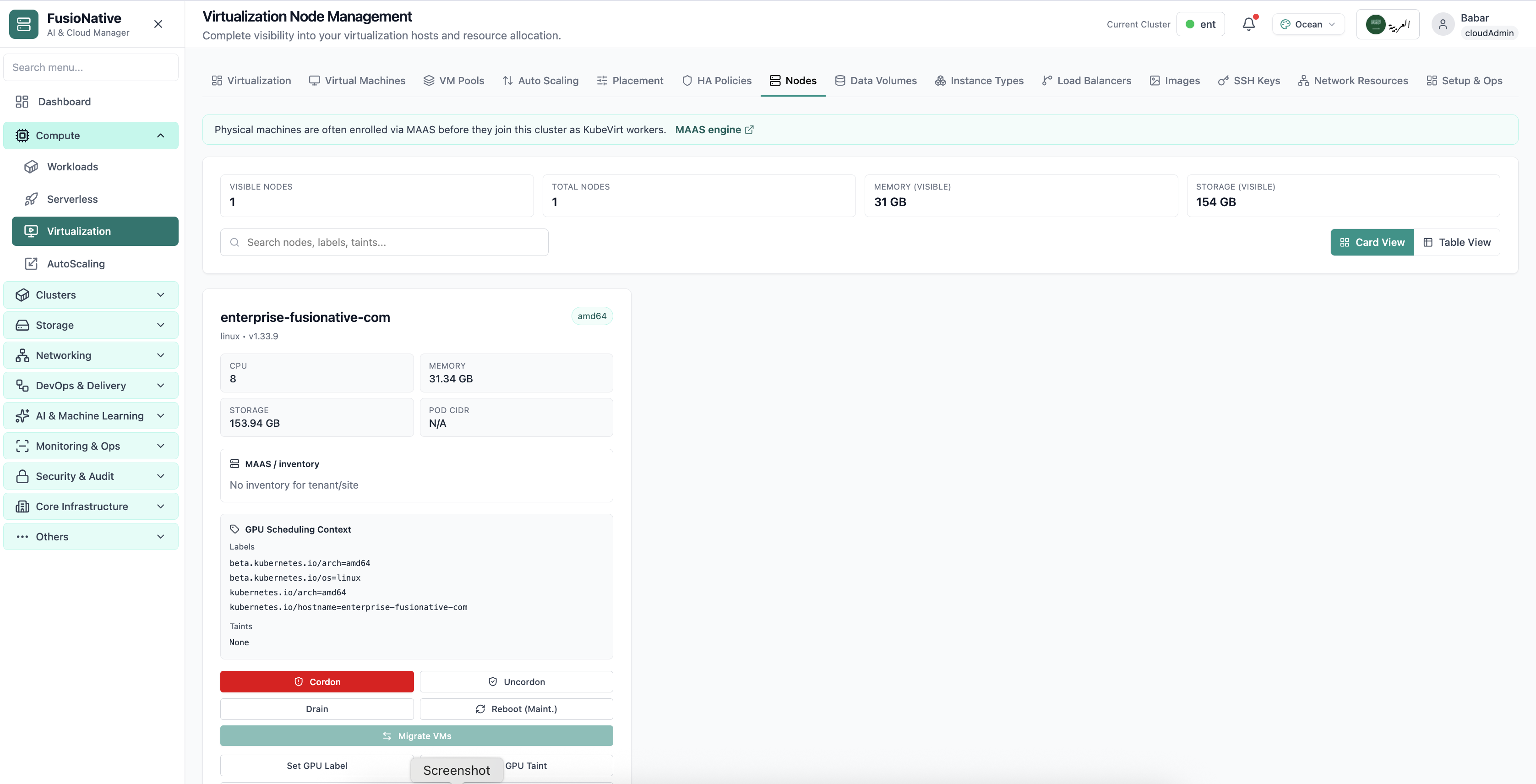
Virtualization node management.
08 of 14 Cloud Admin

Node Management

Virtualization node management. Real Cloud Admin UI for KubeVirt virtualization—what operators see daily and what to do next.

  • Matches the live Cloud Admin layout your teams will use
  • Dense data stays readable at full size (click to zoom)
  • Fits into the broader FusioNative operational workflow

Click the screenshot to open full size, zoom, and pan.
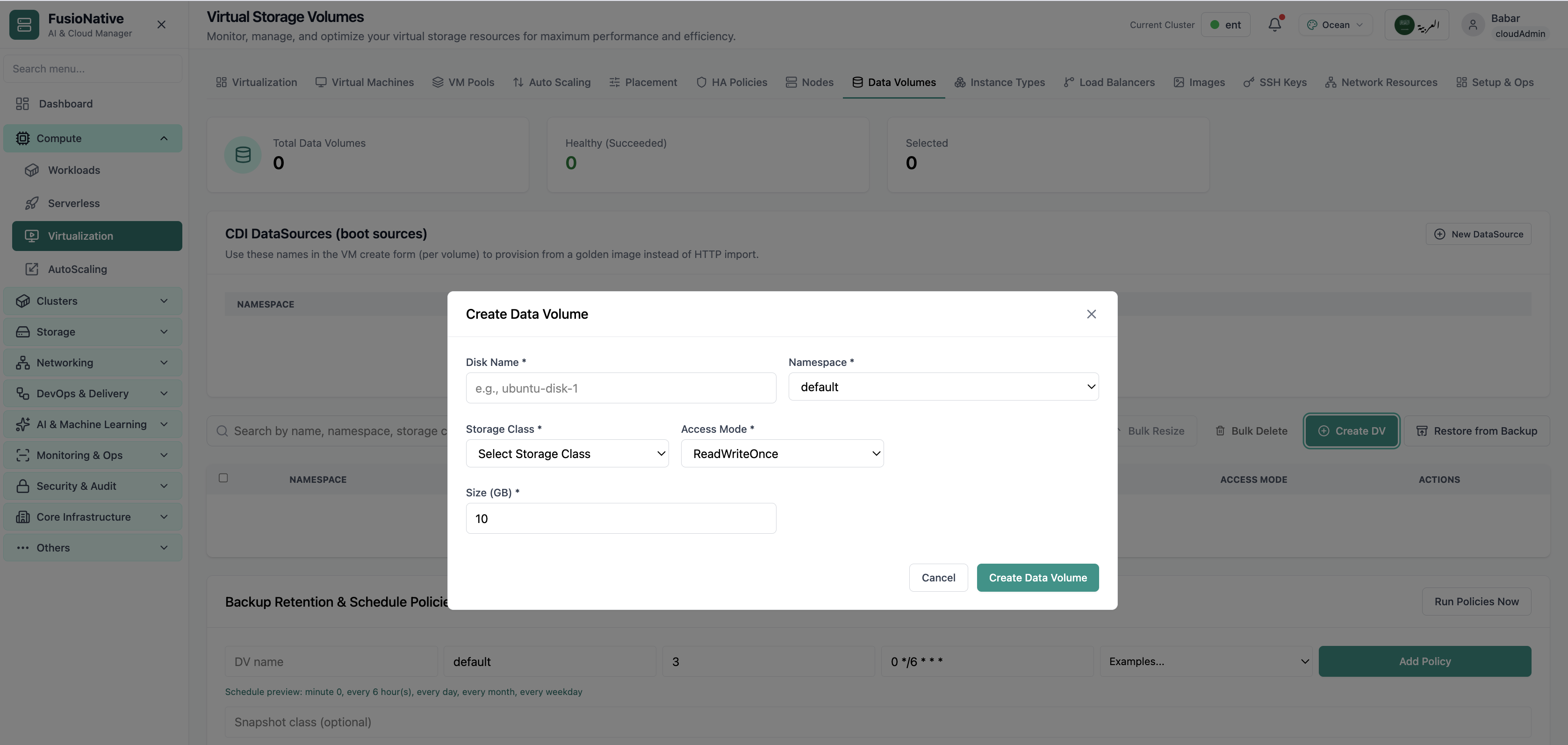
Virtual storage volumes.
09 of 14 Cloud Admin

Virtual Storage

Virtual storage volumes. Real Cloud Admin UI for KubeVirt virtualization—what operators see daily and what to do next.

  • Matches the live Cloud Admin layout your teams will use
  • Dense data stays readable at full size (click to zoom)
  • Fits into the broader FusioNative operational workflow

Click the screenshot to open full size, zoom, and pan.
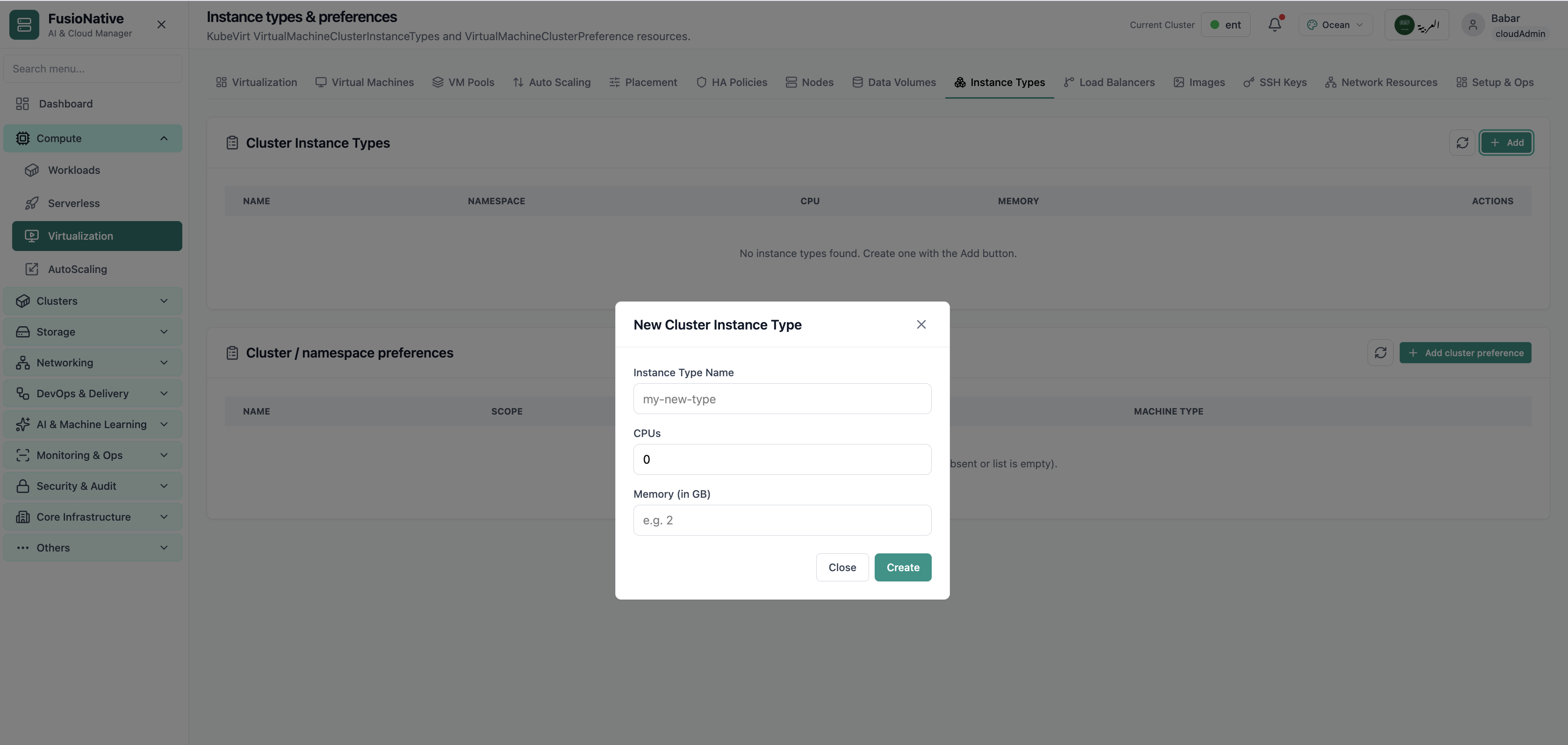
Instance types and preferences.
10 of 14 Cloud Admin

Instance Types

Instance types and preferences. Real Cloud Admin UI for KubeVirt virtualization—what operators see daily and what to do next.

  • Matches the live Cloud Admin layout your teams will use
  • Dense data stays readable at full size (click to zoom)
  • Fits into the broader FusioNative operational workflow

Click the screenshot to open full size, zoom, and pan.
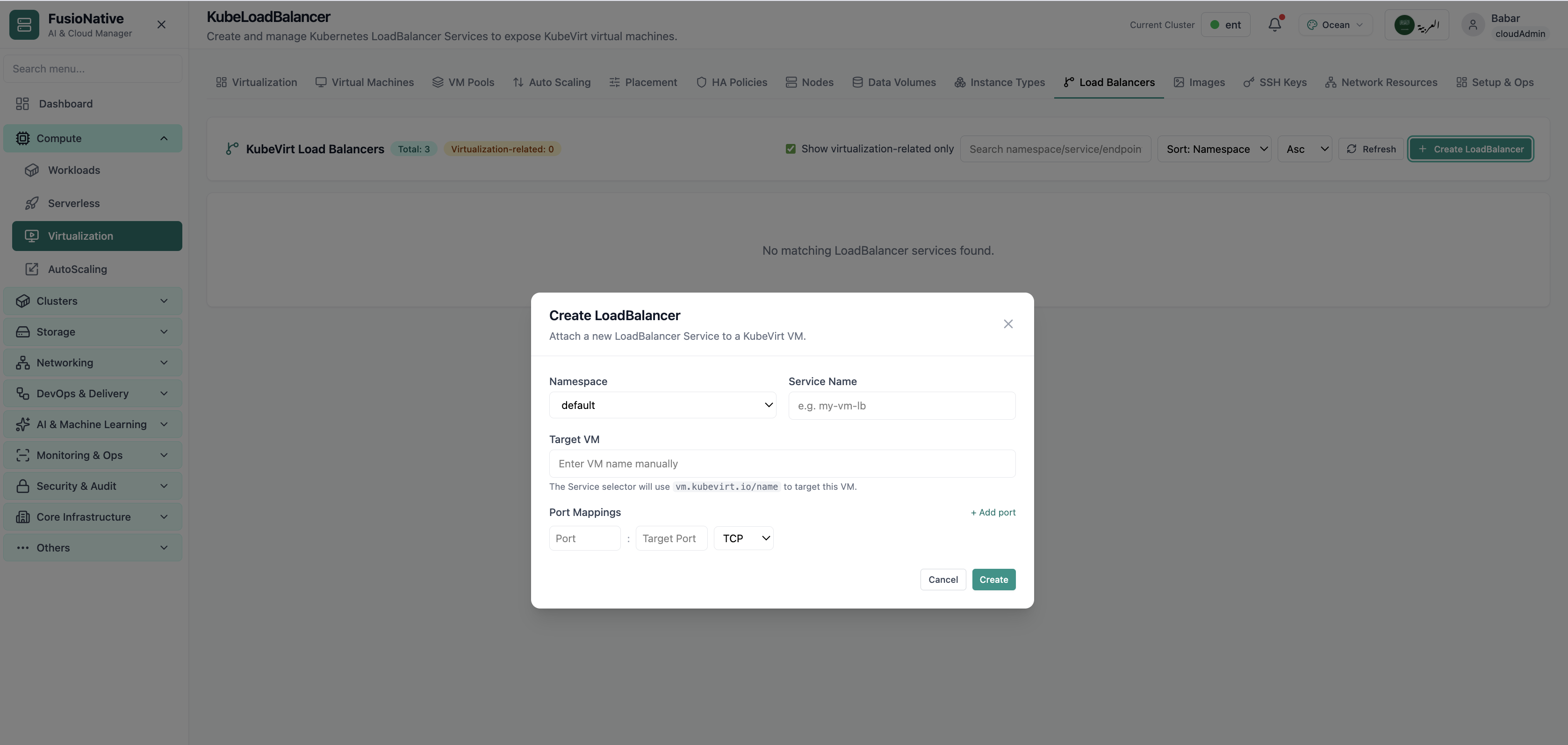
KubeLoadBalancer configuration.
11 of 14 Cloud Admin

KubeLoadBalancer

KubeLoadBalancer configuration. Real Cloud Admin UI for KubeVirt virtualization—what operators see daily and what to do next.

  • Matches the live Cloud Admin layout your teams will use
  • Dense data stays readable at full size (click to zoom)
  • Fits into the broader FusioNative operational workflow

Click the screenshot to open full size, zoom, and pan.
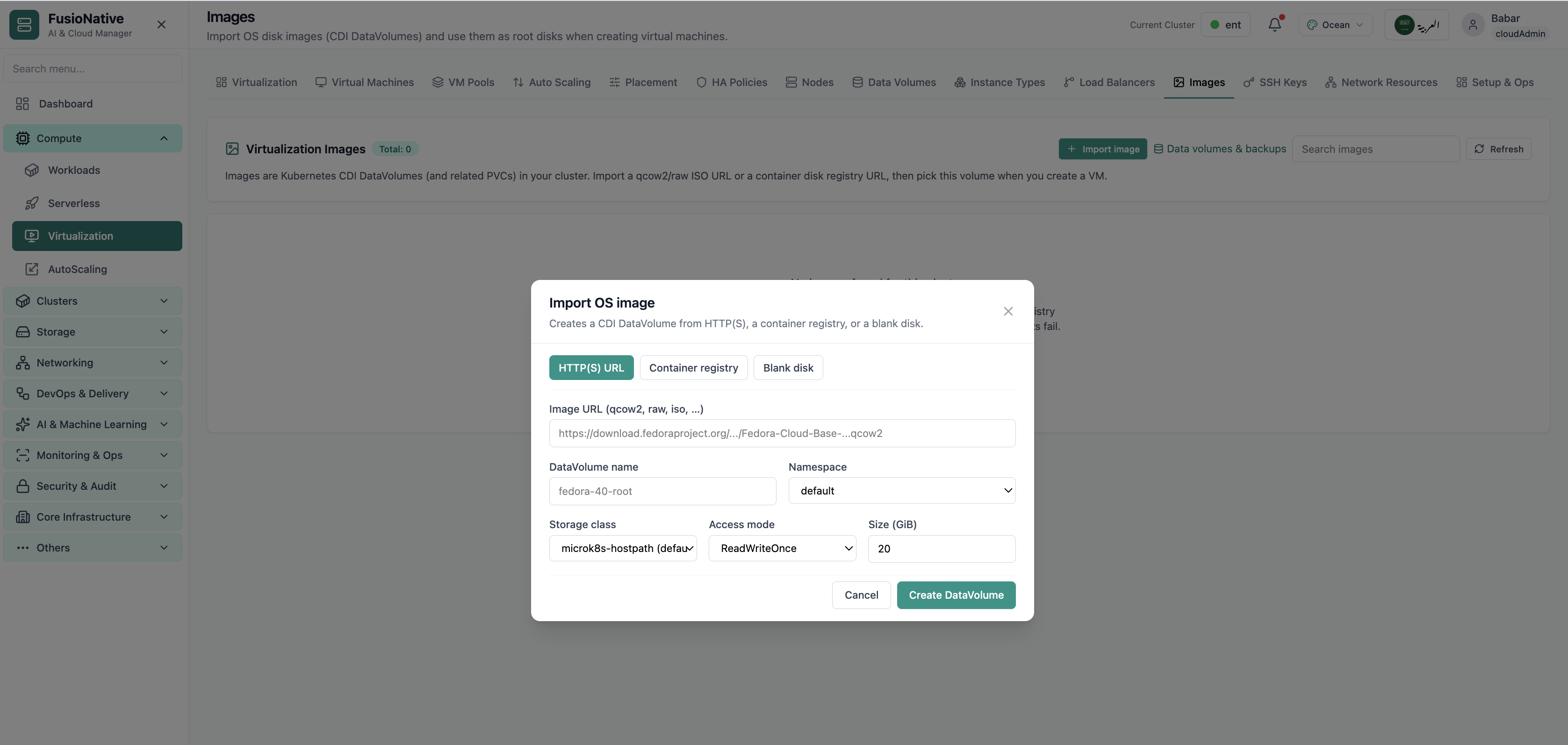
VM images catalog.
12 of 14 Cloud Admin

Images

VM images catalog. Real Cloud Admin UI for KubeVirt virtualization—what operators see daily and what to do next.

  • Matches the live Cloud Admin layout your teams will use
  • Dense data stays readable at full size (click to zoom)
  • Fits into the broader FusioNative operational workflow

Click the screenshot to open full size, zoom, and pan.
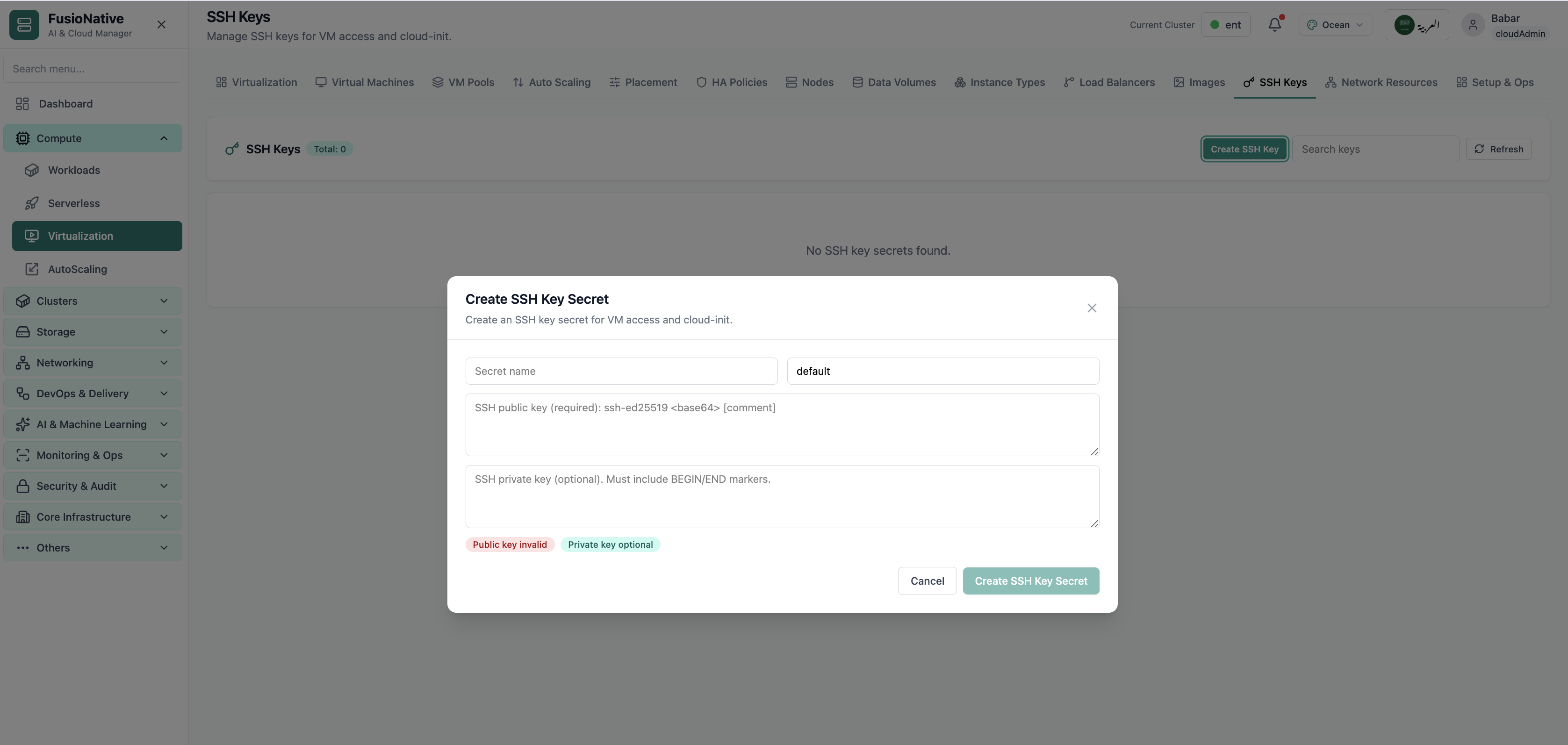
SSH keys for virtual machines.
13 of 14 Cloud Admin

SSH Keys

SSH keys for virtual machines. Real Cloud Admin UI for KubeVirt virtualization—what operators see daily and what to do next.

  • Matches the live Cloud Admin layout your teams will use
  • Dense data stays readable at full size (click to zoom)
  • Fits into the broader FusioNative operational workflow

Click the screenshot to open full size, zoom, and pan.
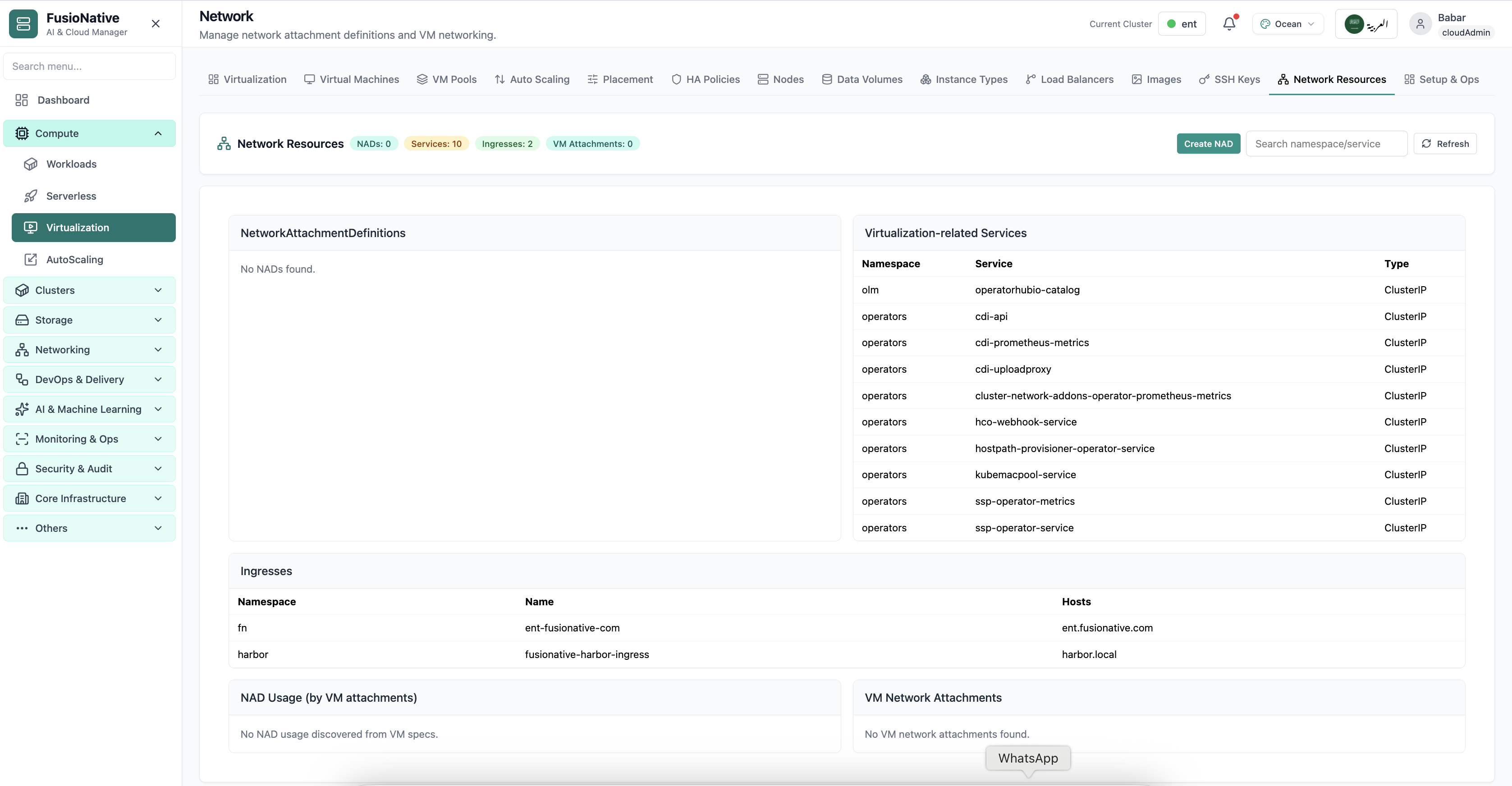
Virtualization network settings.
14 of 14 Cloud Admin

VM Network

Virtualization network settings. Real Cloud Admin UI for KubeVirt virtualization—what operators see daily and what to do next.

  • Matches the live Cloud Admin layout your teams will use
  • Dense data stays readable at full size (click to zoom)
  • Fits into the broader FusioNative operational workflow

Click the screenshot to open full size, zoom, and pan.