DevOps & Delivery · Images

Container Registry — images, scans, and Harbor-aligned ops

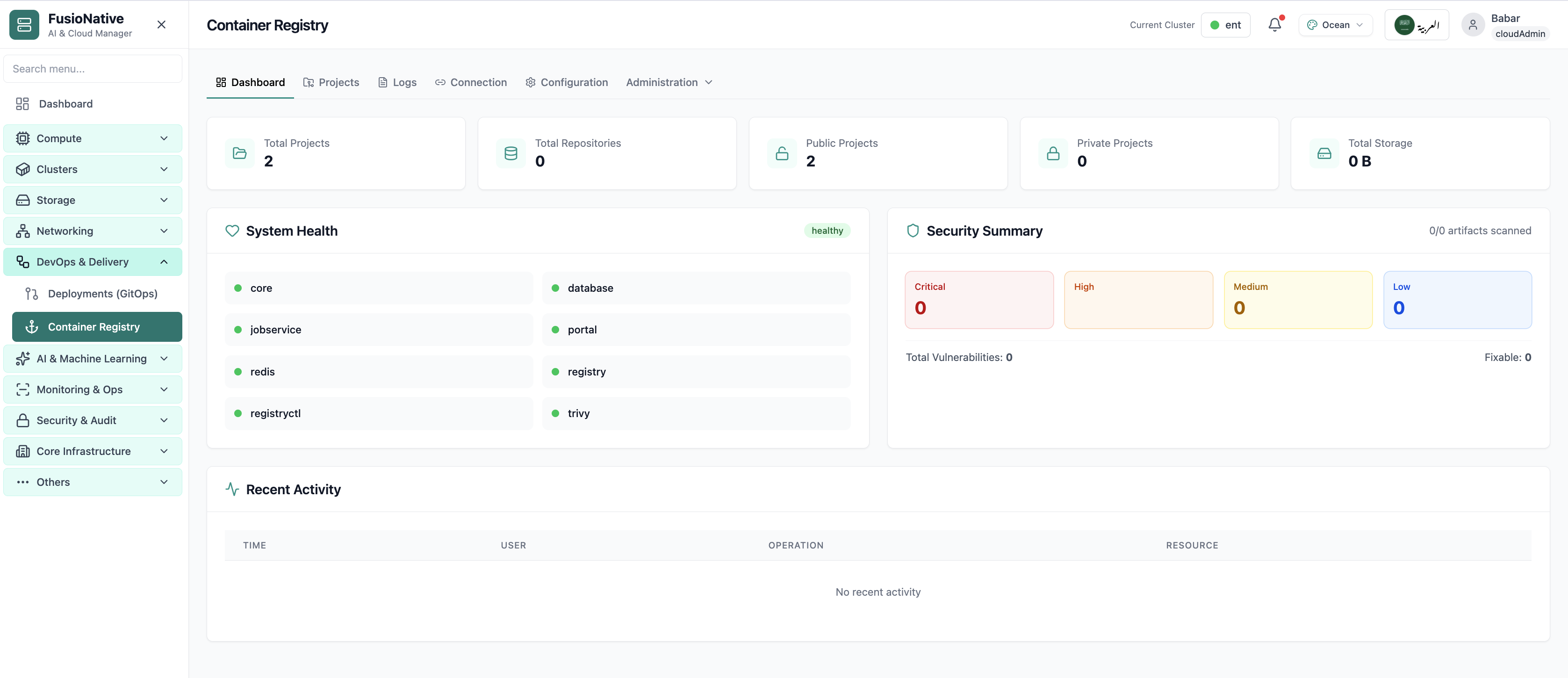
Operate a registry that fits platform engineering: dashboard KPIs for projects and repositories (public vs private), storage totals, component health, vulnerability summaries with scanning signals, and recent activity for audits. Wire Cloud Admin to your Harbor v2.0 API for pull/push and proxy behavior—then tune connection, system configuration, logs, and administration without switching consoles.

Product walkthrough

See it in Cloud Admin

Every frame below is a real Cloud Admin screen—paired with plain-language context so you know what you are looking at and why it matters operationally.

Harbor registry dashboard and security summary.
01 of 04 Cloud Admin

Registry Dashboard

Your starting point for container registry: KPI cards and charts summarize fleet health, including harbor registry dashboard and security summary. Spot drift early, then drill into the tab that explains the root cause.

  • KPI strip shows the numbers leadership cares about first
  • Charts link utilization to time so you spot spikes quickly
  • One click into deeper tabs when something looks off

Click the screenshot to open full size, zoom, and pan.
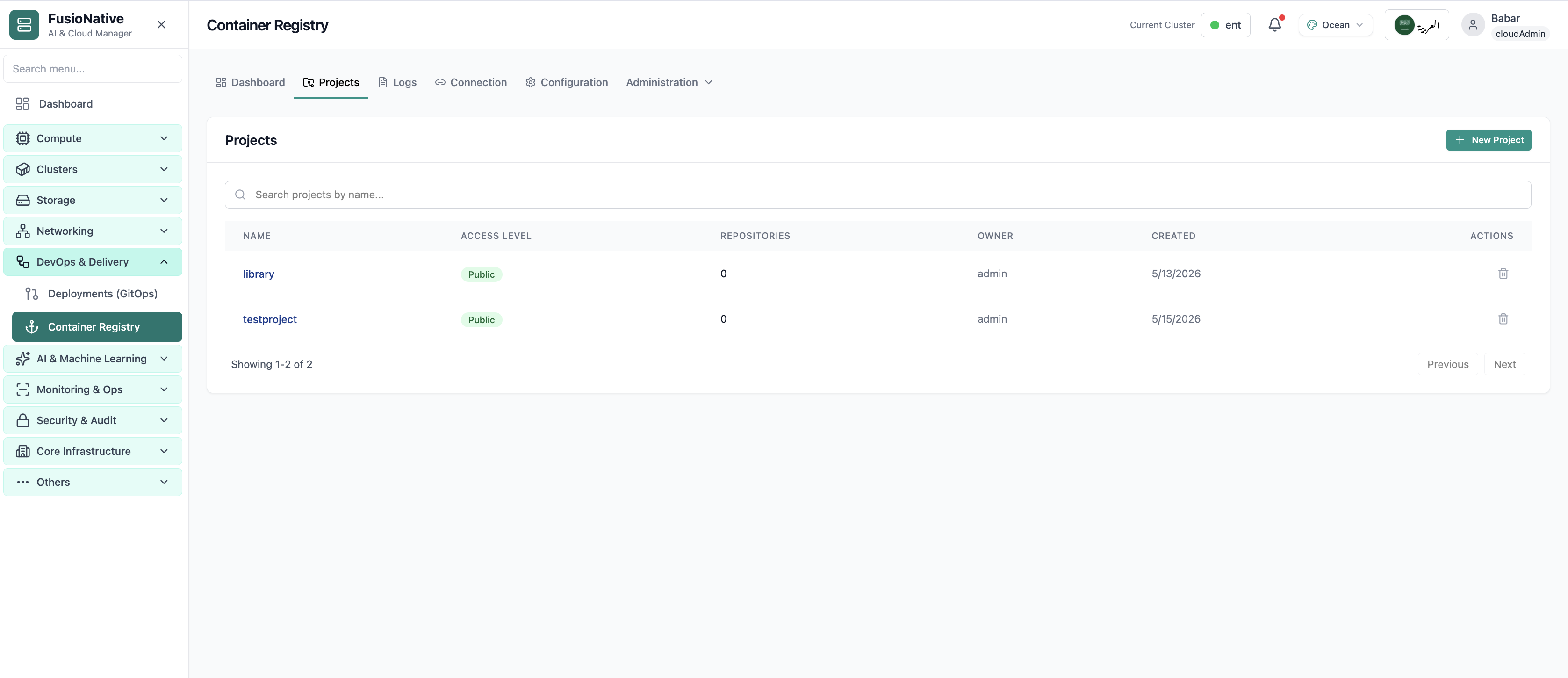
Container registry projects list.
02 of 04 Cloud Admin

Projects

Container registry projects list. Real Cloud Admin UI for container registry—what operators see daily and what to do next.

  • Matches the live Cloud Admin layout your teams will use
  • Dense data stays readable at full size (click to zoom)
  • Fits into the broader FusioNative operational workflow

Click the screenshot to open full size, zoom, and pan.
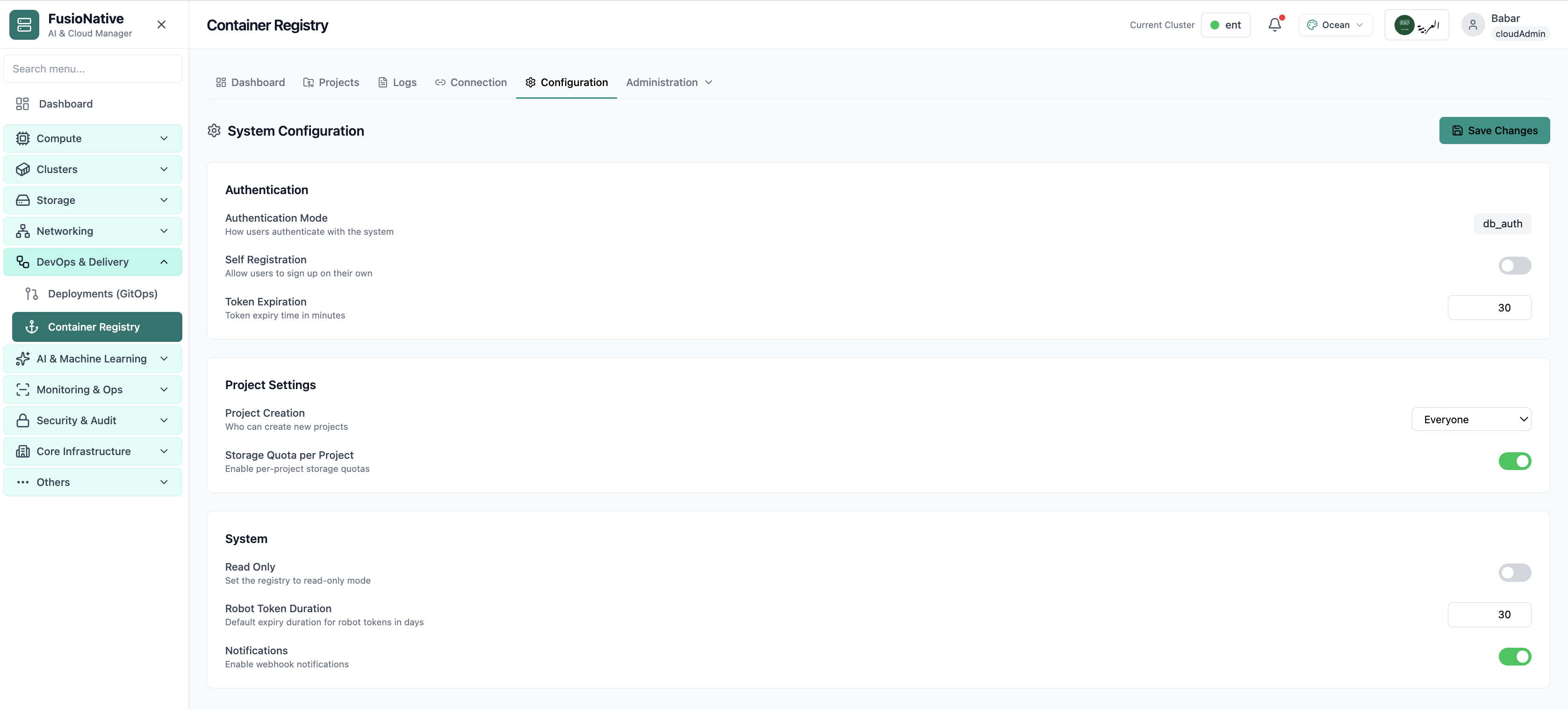
Registry system configuration.
03 of 04 Cloud Admin

Configuration

Registry system configuration. Real Cloud Admin UI for container registry—what operators see daily and what to do next.

  • Matches the live Cloud Admin layout your teams will use
  • Dense data stays readable at full size (click to zoom)
  • Fits into the broader FusioNative operational workflow

Click the screenshot to open full size, zoom, and pan.
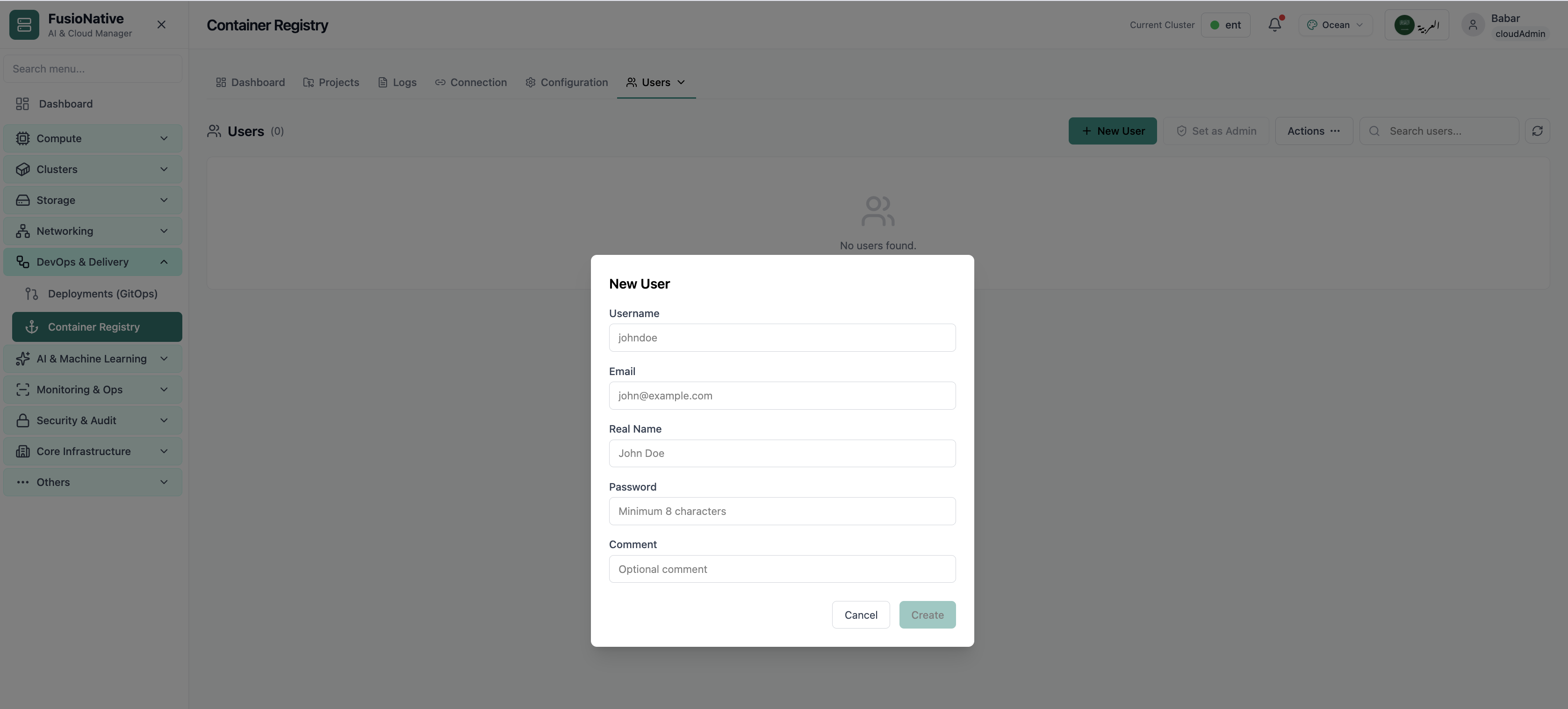
Create registry user modal.
04 of 04 Cloud Admin

New User

Create registry user modal. Real Cloud Admin UI for container registry—what operators see daily and what to do next.

  • Matches the live Cloud Admin layout your teams will use
  • Dense data stays readable at full size (click to zoom)
  • Fits into the broader FusioNative operational workflow

Click the screenshot to open full size, zoom, and pan.

Supply chain

The registry is part of delivery—not a separate island

When storage, CVE posture, and audit trails share one plane with GitOps and Kubernetes, supply-chain conversations stay factual.

See exposure early

Project counts and public vs private splits keep accidental exposure visible.

Trust the wiring

Validate Harbor API connectivity before scans and proxies silently fail.

Govern without YAML tours

Quotas, read-only modes, and notifications land where admins already operate.

Put your registry next to delivery controls

Run Container Registry from Cloud Admin alongside GitOps and Kubernetes workflows.

Get a demo