Core infrastructure

MAAS Engine — bare-metal inventory, lifecycle & workflows

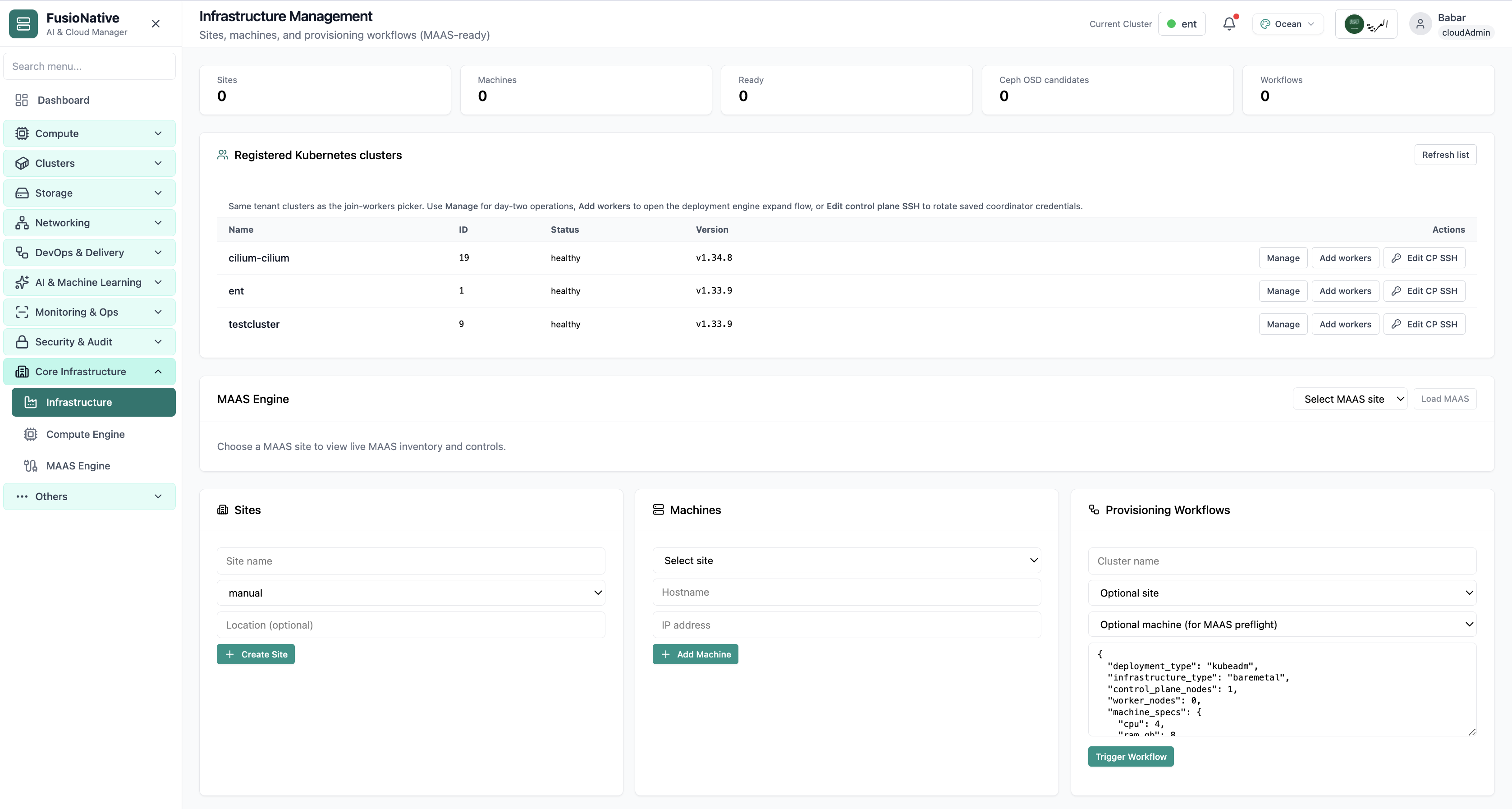
Under Core Infrastructure → MAAS Engine, Cloud Admin wraps Canonical MAAS capabilities: pick a region site, refresh/test APIs, sync inventory, then dive across Dashboard · Hardware · KVM · Organization · Configuration · Networking · Settings · Workflows · Onboarding tabs—each anchored by live counts for machines, readiness, failures, and aggregated CPU/RAM/storage.

Product walkthrough

See it in Cloud Admin

Every frame below is a real Cloud Admin screen—paired with plain-language context so you know what you are looking at and why it matters operationally.

MAAS engine and bare-metal provisioning in infrastructure management.
01 of 01 Cloud Admin

MAAS & bare metal

MAAS engine and bare-metal provisioning in infrastructure management. Real Cloud Admin UI for MAAS bare-metal engine—what operators see daily and what to do next.

  • Matches the live Cloud Admin layout your teams will use
  • Dense data stays readable at full size (click to zoom)
  • Fits into the broader FusioNative operational workflow

Click the screenshot to open full size, zoom, and pan.

From PXE to scheduling

Automate the boring path from rack to Ready

MAAS Engine gives hybrid teams one pane for bare metal—FusioNative overlays enterprise navigation so networking, storage, and Kubernetes operators agree which machines are real before automation spends credits.

Lifecycle bars beat spreadsheets

Commissioning vs Ready vs Deployed tells executives where CAPEX sits idle.

Workflows with receipts

Dedicated Workflows & Onboarding tabs tie MAAS automation back to Infrastructure Management triggers.

Capacity dialect everyone speaks

Aggregated CPU/RAM/storage converts rack chatter into planning numbers GPU teams recognize.